
AI for SharePoint Archiving: Nutshell Document Summaries
SmiKar's AI feature for SharePoint is Nutshell - AI summaries embedded in stub files so Copilot and Search still discover archived content.
AI for SharePoint Archiving
The most important AI question for SharePoint Online archiving today is no longer "can AI decide what to archive?" - it's "can AI still find and reason over what's been archived?" As organisations roll out Microsoft Copilot across their Microsoft 365 tenants, anything that disappears from the SharePoint index disappears from Copilot too. Archive a million documents to Azure Blob to cut storage cost, and you've quietly cut the same documents out of every AI prompt your users will ever write.
Squirrel solves this with Nutshell - an AI-powered summarisation engine built directly into the archiving pipeline.
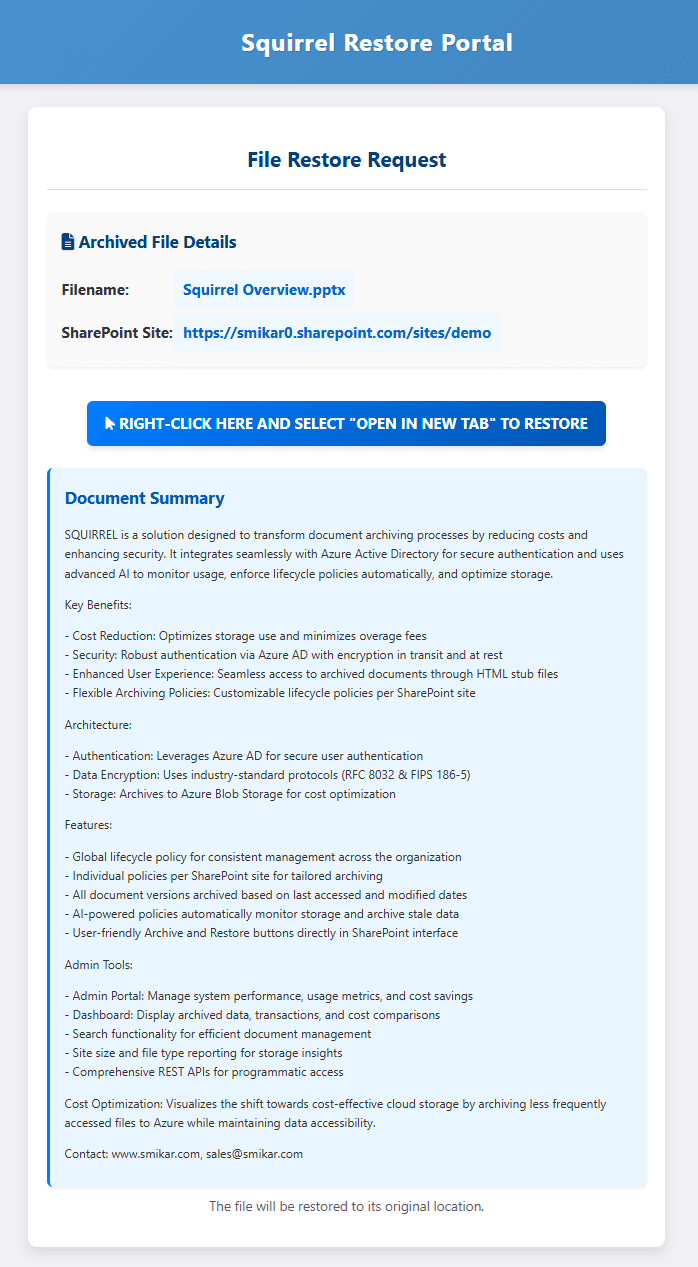
What Nutshell does
When Squirrel archives a SharePoint document to Azure Blob Storage, it leaves a stub file in the original SharePoint location so users can still discover and restore the document. Without AI, that stub contains only the file name and a restore link - nothing for SharePoint Search or Microsoft Copilot to index meaningfully.
Nutshell changes that. As each document is archived, Nutshell's AI reads its content and generates a concise, human-readable summary that captures the document's key topics, entities and context. That summary is written back into the stub file in SharePoint.
The result: archived documents remain fully discoverable by SharePoint Search, Microsoft Copilot, and any other tool that reads the SharePoint index - even after the original document has been moved to low-cost Azure Blob Storage.
Why this matters for Microsoft Copilot deployments
Microsoft Copilot for Microsoft 365 depends on what's in the SharePoint index. The more of your organisation's knowledge it can see, the more useful it is. Archive a document and remove its index entry, and Copilot stops being able to surface it in answers - even if a user explicitly knows it exists.
Most archiving tools accept this as a tradeoff: cheaper storage in exchange for blind spots. Nutshell removes the tradeoff. The stub file (with its embedded AI summary) stays in the index, so Copilot can still:
- Surface the archived document as a relevant result for natural-language questions
- Reason over its content via the summary
- Cite the document with a one-click restore for the user if they need the full file
You get the cost benefits of moving cold content to Azure Blob and Copilot keeps access to your entire knowledge base.
How Nutshell is configured
Administrators control Nutshell through Squirrel's admin console:
- Summary style - Standard, Technical or Executive, depending on audience and use case
- AI temperature - focused (consistent phrasing for technical and legal content) through to exploratory (more varied summaries for brainstorming or informal content)
- File types processed - PDF, Word, Excel, PowerPoint and plain text are supported out of the box
- Built-in redaction - automatically redact personal names, financial amounts, contact details, dates and timestamps from generated summaries to support compliance requirements
Read more
- Nutshell AI - the full feature page, including how it's configured and what stub files look like with and without Nutshell
- Squirrel - the SharePoint Online archiving solution Nutshell is built into
- How Squirrel restores archived files - what happens when a user (or Copilot) needs the original
- GDPR & data sovereignty - Nutshell runs in the same Azure region as your data, so summaries stay in-region too