

Monitoring the SharePoint Audit Log Without Reading It
The Microsoft 365 audit log records everything that happens in SharePoint and Entra ID, but it is a raw event stream: no alerting, no prioritisation, and a search experience that answers one question at a time. A SharePoint auditing tool turns that stream into a small number of alerts worth acting on, and makes the history searchable across users, sites and dates.
That is what Burrow does. It reads every audit event your tenant produces, applies detection rules and per-user behavioural baselines, and sends a short queue of alerts written in plain English with the MITRE ATT&CK technique named. The full history stays searchable through Hunt, so "what did this user do in March" is one query rather than an audit-log export.
If you want the manual route first, reading the SharePoint audit log directly covers the admin centre and PowerShell methods, what they retain, and where they run out.
Watch SharePoint. Catch the bad. Skip the noise.
Burrow watches every SharePoint and Entra ID audit event in your tenant, flags what matters, and explains why - using AI that reads each alert, confirms the evidence and writes it up in plain English your team can act on.
Your data, your storage. Burrow writes the historical event store and cold-storage archives to your own Azure storage account. Customers retain ownership of the audit history, always. No data hostage.
Alerts your team can read. Burrow's AI validates every alert against its source evidence, then writes it up in plain English with the key numbers, timestamps and MITRE technique called out. Your SOC acts on a clear narrative in seconds, not a raw SharePoint audit log.
Speaks SOC standard. Every alert is tagged with the MITRE ATT&CK technique it represents, so it lands in your incident-response runbook and your compliance evidence pack in vocabulary your analysts and auditors already use, with no translation needed.
Book a Burrow demo | Read the Burrow docs
Squirrel's security half: archive what's old, watch what's live.
You already know Squirrel as the SharePoint archiver - inactive documents move to your Azure storage, your bill drops, users don't notice. Burrow is the other half of the same product.
Burrow turns Microsoft 365's audit firehose into a small, accurate, MITRE-tagged alert feed your SOC actually reads. Hunt gives every analyst, auditor and HR investigator a single search box that answers any "what did user X do?" question in seconds. One platform, one subscription, two capabilities.
Burrow is a SaaS addon to the Squirrel platform. If you're already a Squirrel customer, activating Burrow is a subscription change - no new install, no new infrastructure for your team to provision.
Features: Everything you need to watch a tenant at scale.
Near-real-time SharePoint detection. Burrow watches every audit event your tenant produces - file downloads, deletions, sharing, permission changes, label tampering - and applies 25+ distinct rules to surface what matters as it happens.
Behavioural baselines per user. Burrow learns what's normal for each person - their typical hours, sign-in locations and apps, file volume, sites accessed, sharing rate - and flags the moment activity drifts. Catches what fixed-threshold rules miss: the contractor who suddenly downloads 50x their usual volume, the account signing in from a country it has never touched, the user who starts deleting files in sites they haven't opened in months.
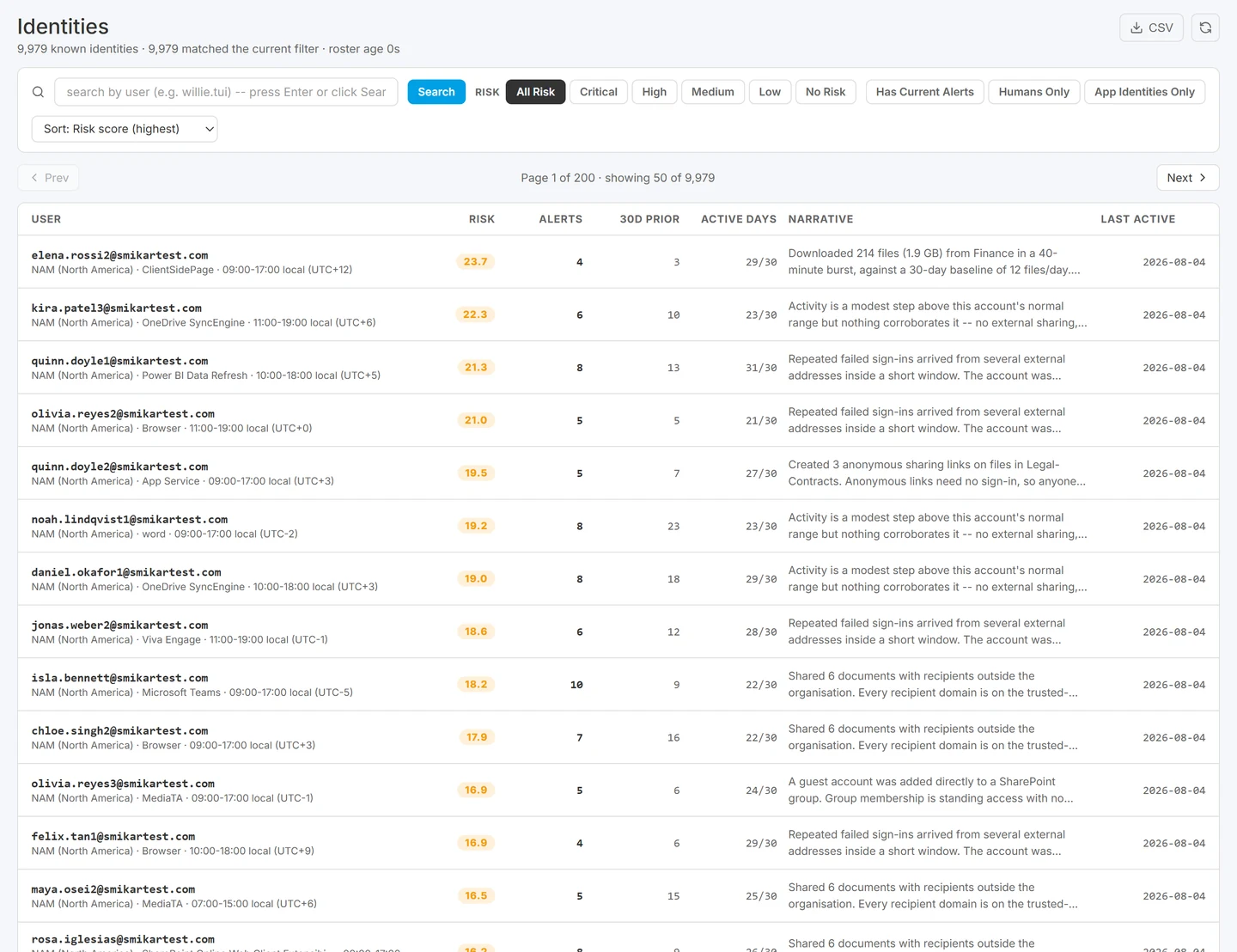
Every identity with its own baseline and risk band, which is what makes "unusual" mean something per person rather than per threshold.
Hunt: ask any question, get an answer. Cross-entity activity search across every event your tenant has ever recorded. Type a user, a date range, a file pattern - get every matching event in seconds. Answers HR queries, audit requests and "what happened on Tuesday" in one box. No SQL, no audit-log export, no analyst time.

MITRE-tagged alerts. Every Burrow detection is tagged with the MITRE ATT&CK technique it represents (T1486 Data Encrypted for Impact, T1078 Valid Accounts, T1567.002 Exfiltration to Cloud Storage, and the rest). Speaks the same language as Defender, Sentinel, your SIEM, your IR runbook, your compliance evidence pack.
AI that shows its work. Each alert comes with a plain-English "why this matters" paragraph. Burrow's AI reads the underlying evidence, confirms the key numbers, names and timestamps, then writes them up in a clear narrative your team can act on in seconds.
Incident correlation. When five alerts on one user inside thirty minutes look like an attack chain, Burrow groups them into one incident with one AI-written narrative - not five separate emails. Your on-call gets the story, not the noise.
Cold-storage audit. Audit history offloaded to your Azure storage after 14 days. Rehydrate any user's full activity, any month, with one click when an auditor calls. Retention is limited only by how long you want to keep paying object-storage cost - your storage, your retention policy.
Learns what you dismiss. When your team marks an alert as Not real, Burrow notices. After three dismissals of the same (user, category) pair in 14 days, the Suggestions panel proposes an exception you can apply with one click - the alerts stop firing entirely. Opt in to the more aggressive auto-suppress mode and Burrow stops them on its own after the third dismissal. Need to silence something immediately? One-click Suppress and Downgrade buttons on every alert row create the exception without leaving the page. AI-judged 'not real' alerts auto-hide from the Active queue so your team only sees what needs attention.
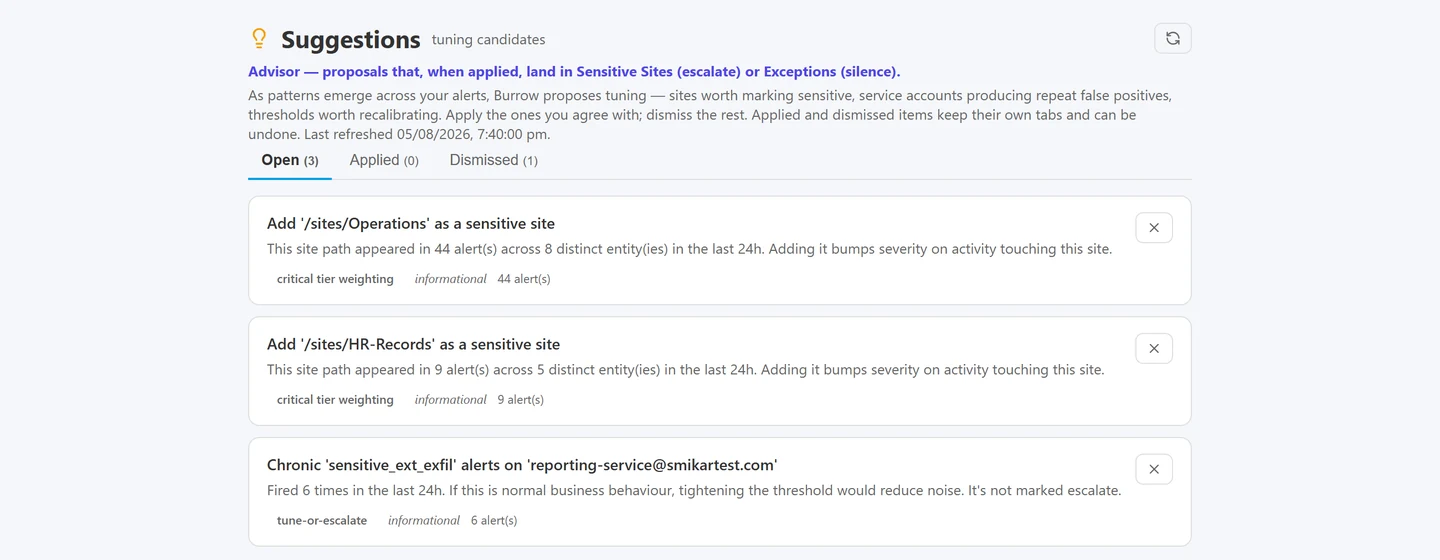
Repeated dismissals become a proposed exception you approve, so tuning is a decision on the record rather than a threshold somebody guessed.
Watch a departing employee. Put any user under heightened monitoring for a set period - the classic case is someone on their notice period, the single biggest window for data walking out the door. Their signals stay visible: activity Burrow would normally quiet is surfaced and reaches your nominated inbox, and a daily AI-written report of everything they did lands automatically until the watch expires on its own. Every watch carries a reason, an owner, and an audit trail - who put whom under watch, and when.
One-click activity report and evidence export. Open any user and generate a printable, AI-written activity report - executive summary, behaviour, alerts, risk assessment - grounded strictly in that account's real audit figures and never invented, the same anti-hallucination architecture as the alert narratives. Hand it to HR, legal, or an auditor as-is. Need the raw proof behind it? Export the account's verbatim audit event log as CSV for the evidence pack.
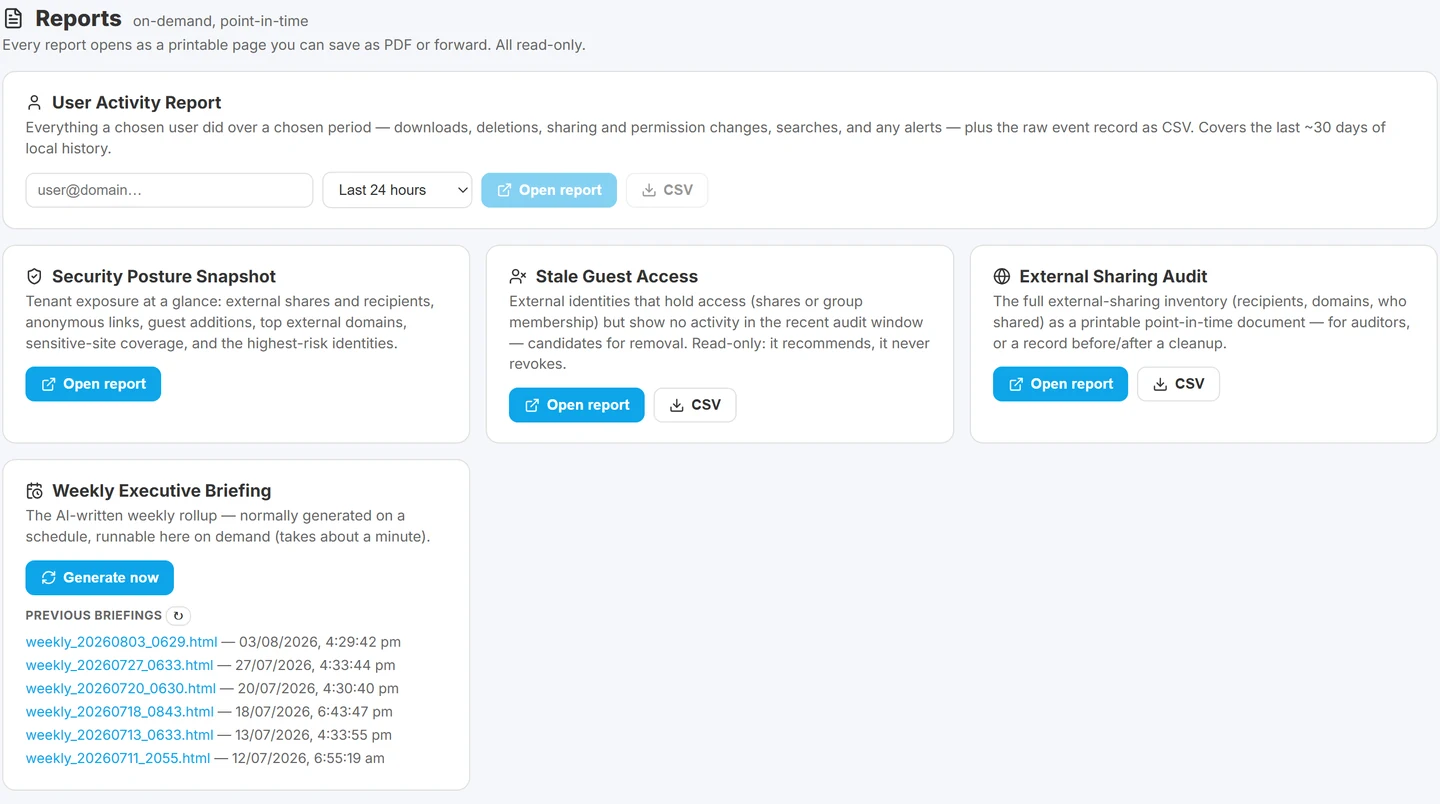
The on-demand reports, printable or exportable as CSV for an HR case, a legal hold or a compliance pack.
See it in action.
The Burrow main dashboard groups alerts by severity, by triage status and by entity risk band. The trend chart tracks alert volume over time as your tuning takes effect.
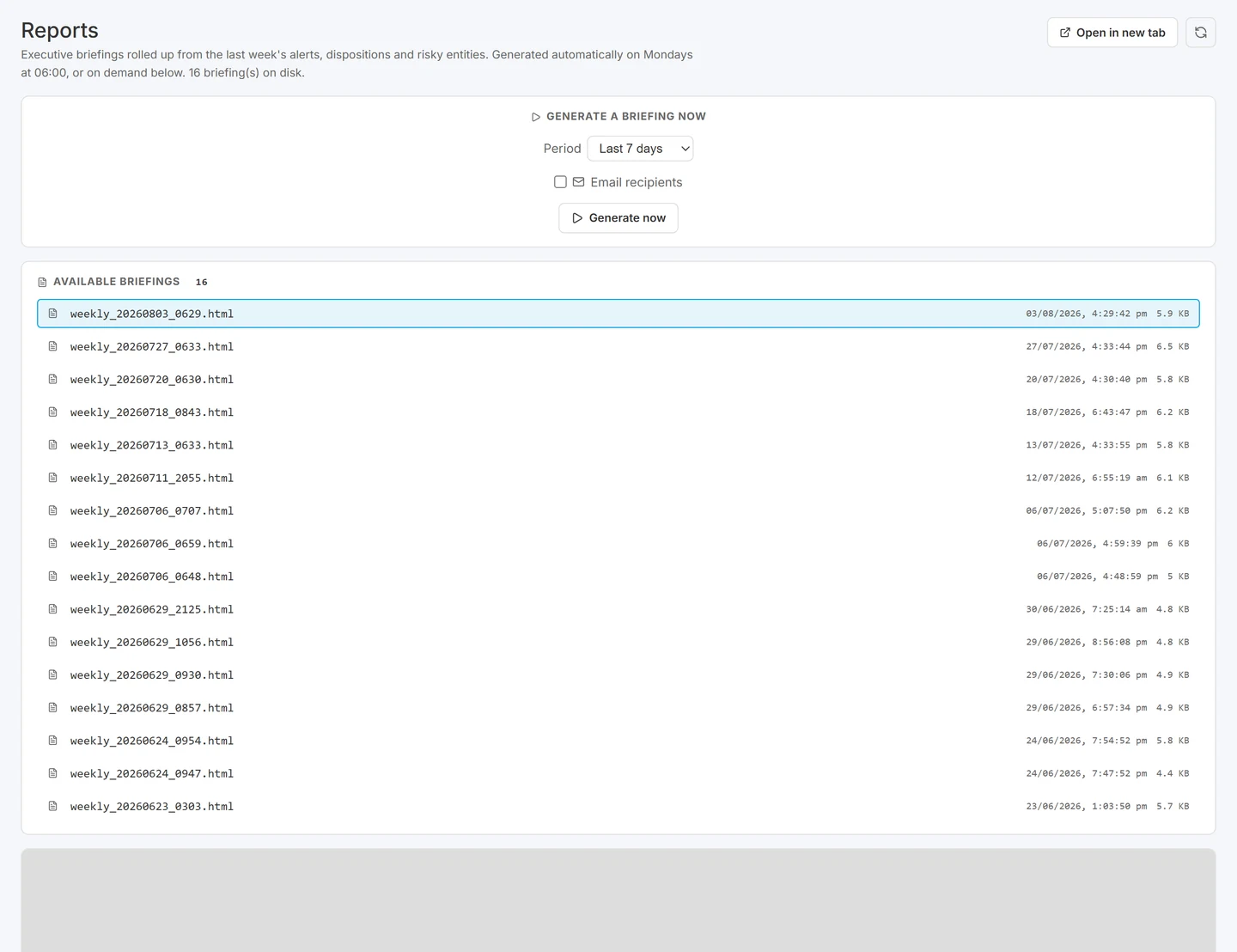
The weekly executive briefing, for the people who want the summary rather than the queue.

AI you can put in an audit report.
The fair question about any AI-written security alert is whether you can act on it, and whether it survives someone checking. Burrow answers that by drawing a hard line between what is computed and what is written.
What is deterministic. Every number in an alert comes from the detection engine running rules over per-user counters: exact event counts, exact byte volumes, exact filenames, exact timestamps, exact geographies, the MITRE technique. None of it is generated. The reconstruction of what the account actually did that day is also built entirely by code.
What is AI. A short narrative explaining why the evidence is unusual, and a verdict on whether the alert looks genuine. Both are clearly labelled as AI.
What happens when the AI gets it wrong. Before any narrative reaches your screen, a verification step confirms that every number and every name in the prose appears in the underlying evidence. If the AI introduces a fact that is not there, the narrative is rejected and a plain deterministic template replaces it. So the numbers you read are either the real ones or the template, and never an invention. That fallback is the part that matters: a safety check you cannot see failing is not a safety check.
The alert is ordered by how much you should trust it
The alert opens as a trust hierarchy, most trustworthy first. Read it top down and you can reach a compliance-defensible conclusion without relying on AI prose at all.
- What happened, a one-line headline built by code from the alert's metrics. Not AI.
- What actually happened, reconstructed from the raw audit events. Also built by code. Not AI.
- The AI verdict and note, clearly labelled, and safety-checked so every number in it is real.
- Why this fired: the rule, the metadata, the key metrics, the evidence rows.
The AI is positioned as a hint that saves your analyst time. The ground truth sits above it, and an operator decision always overrides the AI verdict.
Read the deep dive on wiki.smikar.com | Book a walkthrough
How Burrow works: Three moving parts. One subscription.
Burrow is a SaaS addon to the Squirrel platform. Activating it adds the detection and Hunt search capability to your existing Squirrel subscription. Three steps from consent to alerts.
Step 1: Connect.
One Azure AD app consent grants Burrow read-only access to your SharePoint and Entra ID audit data. No agents on user devices. No changes to your tenant. The historical record stays in your own Azure storage.
Step 2: Tune.
Pick a detection posture - Permissive, Relaxed, Balanced, Strict, Paranoid. One dropdown, every rule auto-configured. Or open the Rules page and tune any individual rule yourself - sensitivity, thresholds, scope. Add entity exceptions for your known service accounts. The system runs from minute one.
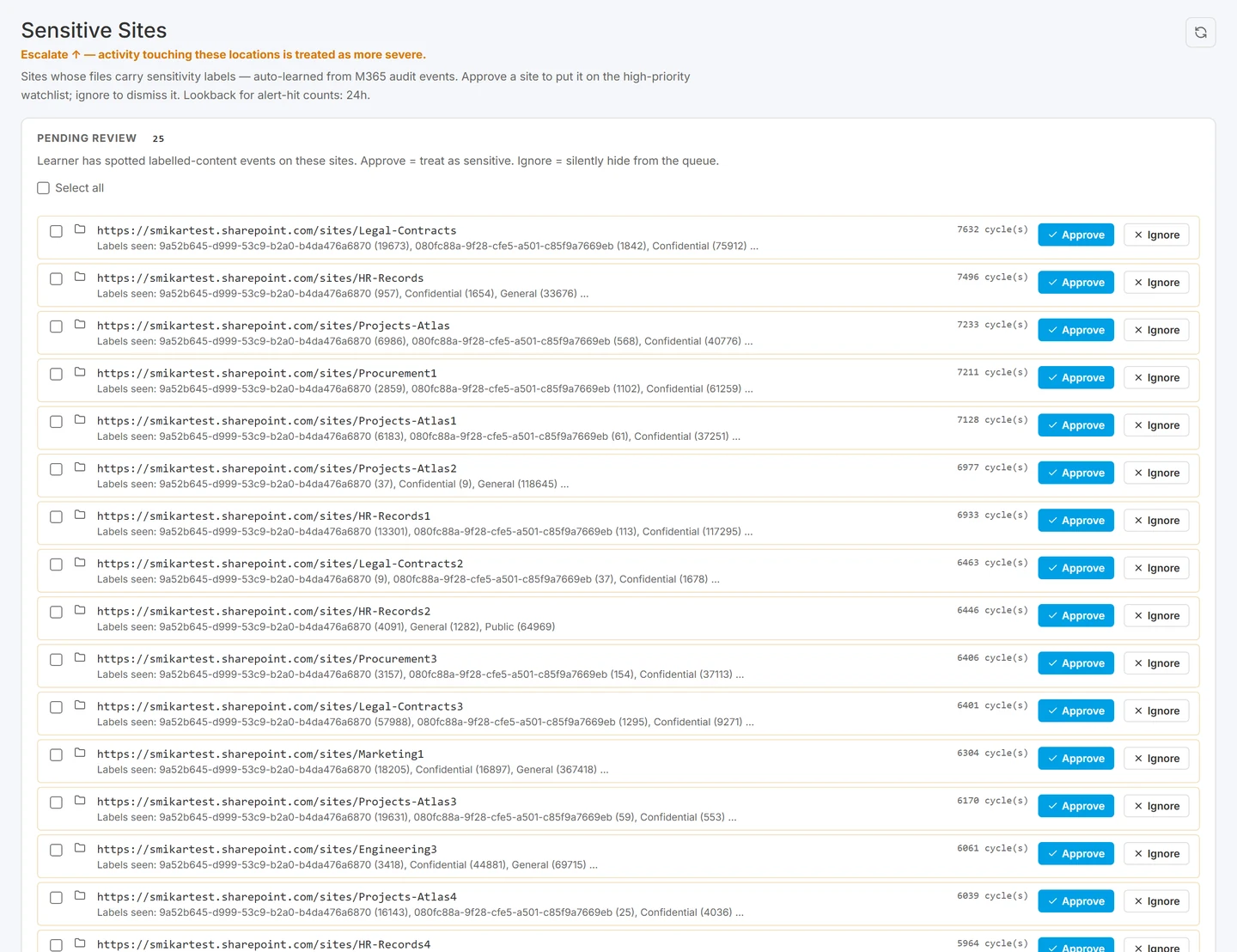
Telling Burrow which content matters more, so severity reflects your environment rather than a generic default.
Step 3: Use.
Open the dashboard. Read the alerts, investigate via the identity dossier and the Hunt activity search, mark dispositions. When you dismiss the same alert pattern 3+ times in two weeks, the Suggestions panel proposes the exception that stops it firing. Apply the suggestion, or opt in to the auto-suppress mode and Burrow applies the pattern itself.
What Burrow catches.
Four scenarios the product is built for, in plain English:
Ransomware in motion. When a compromised account starts encrypting files across many sites at once, Burrow's ransomware-signature rule fires as soon as the encrypt-in-place pattern appears. The alert reaches the email recipients you nominated before the encryption finishes - early enough to isolate the account and restore the affected files from Squirrel's archive.
The departing employee. The day someone hands in their notice is the start of the highest-risk window for data walking out the door. Put them on the watchlist the same day: Burrow surfaces the activity it would normally quiet, and a daily report of everything they touched lands in your inbox until their last day. If an auditor or tribunal asks the question months later, you already have the answer. Read the full playbook: how to stop a departing employee stealing SharePoint data.
Audit and HR queries in seconds. When an auditor or HR investigator asks "show me every file user X accessed in the 30 days before they left," Hunt answers in seconds. Type the user, set the date range, click Search. CSV downloaded for the audit pack in under a minute - no audit-log export, no Excel pivots, no analyst time.
SOC alert noise. When a noisy environment fires too many alerts to triage, Burrow's Suggestions panel surfaces tuning candidates as patterns emerge - sites that should be marked sensitive, service accounts producing repeat false positives, rules worth recalibrating. One-click apply when you agree. The system adapts to your environment over time.
A worked example of the detection logic, using mass deletion and the cross-site move problem, is in SharePoint mass deletion: telling an attack from a folder move.
For the noise side specifically, and why an alert queue full of rendering traffic is the same as no alerting, see SharePoint audit log noise.
On the identity side, the geography signals and why they misfire are covered in impossible travel in Microsoft 365.
The full technique mapping is in MITRE ATT&CK techniques in the Microsoft 365 audit log.
FAQ: Questions, answered.
Can I trust an AI-written security alert?
It depends entirely on what the AI is allowed to produce. In Burrow, every figure in an alert is computed by the detection engine from audit counters rather than generated, and the AI only writes the explanatory narrative and a verdict. A verification step then checks that every number and name in that narrative appears in the underlying evidence, and rejects it in favour of a deterministic template if not. The alert is also ordered so the code-built facts sit above the AI commentary, which means an analyst can reach a defensible conclusion without relying on the prose at all.
Where does my audit history live?
Burrow writes the historical event store and cold-storage archives to your own Azure storage account. Customers retain ownership of the audit history - you can read it, export it, audit it, or migrate it without SmiKar's involvement.
What does deployment look like?
Burrow is operated by SmiKar as part of the Squirrel platform. A one-time Azure AD app consent connects Burrow to your Microsoft 365 tenant. No agents on user devices, no infrastructure for your team to provision, no install.
Will it slow down our SharePoint?
No. Burrow reads from Microsoft's audit data, not from SharePoint itself. Users see and feel nothing. The detection runs in parallel to your tenant. If Burrow stops, SharePoint keeps working.
How much noise should we expect?
Volume depends heavily on tenant size, activity patterns, and posture. The initial weeks generate the most alerts (the system has no baseline yet, exceptions aren't tuned). The Suggestions panel surfaces refinements as patterns emerge. Most teams see substantial reductions through the first month of tuning. We'll publish measured ranges as customer data accumulates.
What about compliance? Audit trail? Evidence quality?
Every admin action in Burrow (rule changes, exception adds, alert dispositions) is logged with timestamp, actor, and before-and-after state. Every suppression decision is journaled. Every AI-written alert has its source evidence preserved on disk for the lifetime of the alert. Alert evidence is admissible - the deterministic rule output is the source of truth, the AI prose is descriptive only.
How are alerts delivered?
Burrow sends email alerts to the addresses you nominate. Configure who receives which severity in the Settings page of the Burrow dashboard. Alerts arrive with the AI-narrated context, the MITRE tag, and a link back into the dashboard for the full evidence chain.
What if we already have Squirrel?
Burrow is a SaaS addon to the Squirrel platform. Activating it adds the detection and Hunt search capability to your existing Squirrel subscription. Speak to your SmiKar account contact.
More on Burrow.
- Burrow onboarding
- How Burrow alerts flow from event to email
- Investigating a Burrow alert
- Hunt: cross-entity activity search
- MITRE ATT&CK technique coverage in Burrow
- Burrow rule catalog
- Burrow FAQs
- Stopping departing-employee data theft in Microsoft 365
- Squirrel archiving (the other half of the product)
Ready when you are.
Book a Burrow demo | Read the Burrow docs
Or email sales@smikar.com.