Enterprise Archiving Software: What to Buy in 2026
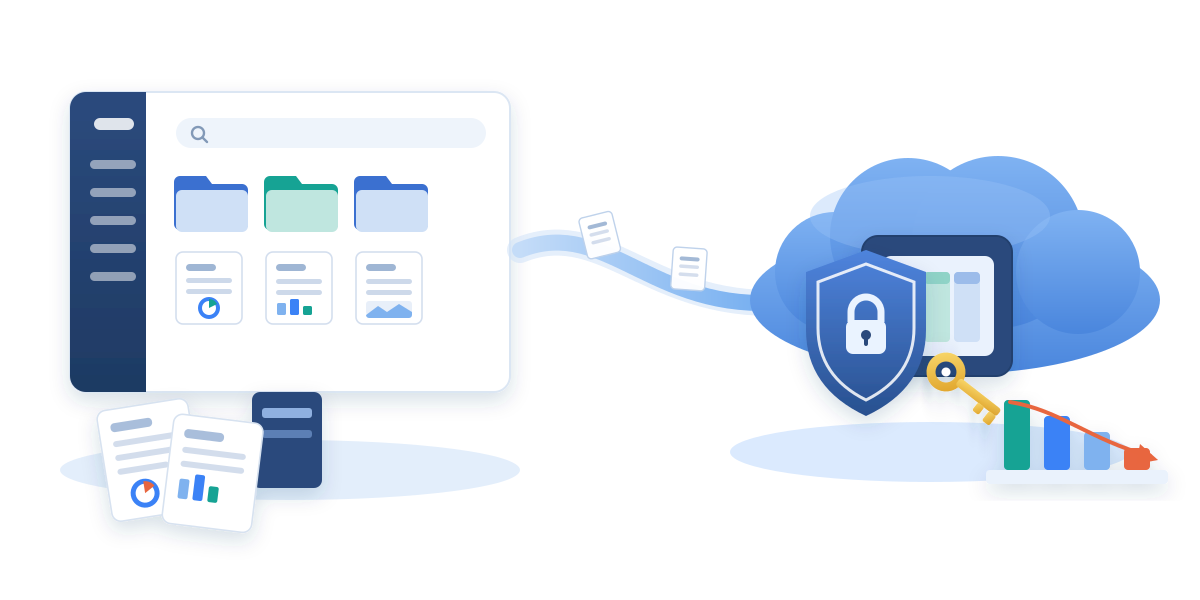
Enterprise archiving software moves inactive data - documents, mailboxes, chat, records - out of expensive primary storage into cheaper long-term storage while keeping it accessible for compliance, audit, and end-user retrieval. Getting the choice right saves substantial ongoing cost. Getting it wrong locks the organisation into vendor-controlled storage that's expensive to move later.
This guide covers the vendor landscape in 2026: what the main products actually do, how they differ, which categories fit which enterprise problem, and the eight questions procurement should ask before signing anything. For the underlying mechanics - what archiving is, how it differs from backup, and when to use it - see our file archiving primer.

What Is Archiving Software?
Archiving software moves inactive data - files, emails, chat history, records - from expensive primary storage into cheaper long-term storage while keeping it searchable, restorable, and audit-friendly. It differs from backup software (which is optimised for point-in-time recovery after data loss) and from records management (which enforces retention policy but doesn't necessarily reduce cost).
Every serious archiving product covers the same core operations:
- Identify inactive content using lifecycle policies (age, last-access, file type, custom classification)
- Move the content to a cheaper storage tier (typically object storage - Azure Blob, S3, on-prem object)
- Preserve metadata, permissions, versions, and audit trail through the move
- Restore the content on demand - either by end-user click-through or admin action
- Prove the whole chain for auditors: what was archived, when, by whom, and where it lives now
The differences between vendors are: which workloads they cover, where the archived data physically lives, how transparent the restore experience is, and how easy it is to move away from the vendor later.
The Three Categories of Enterprise Archiving Software
Not all archiving software is aimed at the same problem. Understanding the categories saves time in vendor evaluation.
1. Dedicated cloud-workload archivers - purpose-built for Microsoft 365, SharePoint Online, Google Workspace, or similar. Deep integration with the source platform, stub-file user experience, native Microsoft Copilot / Google Gemini compatibility considerations. Best fit when the primary problem is Microsoft 365 storage cost or Copilot grounding, not general-purpose enterprise archive. Examples: Squirrel (SharePoint Online, customer-owned Azure), AvePoint Opus (multi-workload M365 governance and archive), Archive360 (Microsoft 365 + non-Microsoft SaaS archive).
2. Backup+archive suites - enterprise data platforms that primarily do backup but include archive tiering as a secondary capability. Broad coverage across on-prem, hypervisor, database, and cloud workloads. Archive is one workload among many, not the primary product focus. Examples: Commvault, Cohesity, Veeam, Veritas, Rubrik. Best fit when the enterprise already runs one of these suites for backup and wants a consolidated tool rather than a separate archive product.
3. Records management platforms - enforcement of retention policy across the enterprise for regulatory compliance. Archive is a byproduct of retention rather than a cost-reduction lever. Examples: OpenText, Micro Focus (now OpenText), IBM FileNet. Best fit for heavily regulated industries where records defensibility trumps cost savings.
Most enterprises need one product from category 1 or 2. Category 3 is a different budget and a different buying process.
The Vendor Landscape (2026)
The vendors most often shortlisted by mid-to-large enterprises for SharePoint Online and Microsoft 365 archiving in 2026, with an honest read on where each is strongest and where each has gaps.
Squirrel by SmiKar
Focus: SharePoint Online document library archiving. File-level, stub-file based, into customer-owned Azure Blob Storage.
Strengths:
- Customer-owned Azure Blob Storage as the standard architecture - archived data lives in the customer's own subscription, region, and tier of choice
- File-level archiving with stub files that keep SharePoint Search working - Microsoft Copilot grounding preserved via the Nutshell AI module that embeds summaries into the stub
- One-click end-user restore from SharePoint web, OneDrive sync (Windows + macOS), and Microsoft Teams
- No per-restore or per-reactivation fees; no vendor lock-in on archived data
- Recycle Bin Capture intercepts deletion-preservation content before it inflates the SharePoint Preservation Hold Library
Gaps:
- SharePoint document libraries only - does not archive OneDrive personal storage, Exchange mailboxes, or Teams chat directly. Departed-user OneDrive/Exchange/Teams archiving is handled by SmiKar's separate Chipmunk product.
- No coverage of SharePoint pages, OneNote notebooks, SharePoint agents, or Site Assets (document libraries only)
AvePoint Opus
Focus: Multi-workload Microsoft 365 governance and archive. SharePoint, OneDrive, Exchange, Teams, plus non-Microsoft sources (Box, Google Drive).
Strengths:
- Broadest Microsoft 365 coverage across all major workloads in one platform
- Long track record in Microsoft ecosystem (AvePoint has been in this space for two decades)
- Records management and governance features baked in
Gaps:
- Archived data typically sits in AvePoint-controlled storage rather than the customer's own Azure subscription - relevant for data residency and exit strategy
- Per AvePoint's own documentation, Opus cannot manage content protected by an active Microsoft Purview retention policy or retention label - admins must remove or disable the retention configuration first (see AvePoint alternative for the operational detail)
- Microsoft Copilot integration not documented on AvePoint's public product pages
Archive360
Focus: Multi-workload archive across Microsoft 365, Slack, Zoom, email systems, and other SaaS. Emphasis on regulated industries and eDiscovery.
Strengths:
- Broad SaaS coverage including non-Microsoft platforms
- Strong records management and eDiscovery integration for regulated industries (financial services, healthcare, government)
- Data can sit in the customer's own Azure or AWS tenant
Gaps:
- Positioned primarily around defensibility and records management, not raw storage cost reduction
- Enterprise-scale pricing model tends to be higher than dedicated cost-focused archivers
Commvault
Focus: Enterprise data platform - backup, archive, disaster recovery, cyber recovery all in one product family. Archive is one capability among many.
Strengths:
- Very broad workload coverage - on-prem, hypervisor, cloud, database, SaaS
- Existing customers can consolidate archive into an existing Commvault deployment
- Strong records management and legal hold integration
Gaps:
- Archive is not the primary product focus - SharePoint-specific features (stub files, Copilot grounding) are less mature than dedicated SharePoint archivers
- Larger deployment footprint and steeper learning curve than dedicated cloud archivers
Cohesity
Focus: Enterprise data platform combining backup, archive, and increasingly AI-driven data analytics.
Strengths:
- Growing Microsoft 365 coverage in the Cohesity DataProtect product
- Strong analytics and AI-driven insight capabilities on top of protected data
- Consolidated backup + archive + analytics platform
Gaps:
- Similar to Commvault - archive is one capability among many, not the primary product focus
- SharePoint-native features less mature than dedicated SharePoint archivers
Veeam
Focus: Backup and disaster recovery for virtualised, cloud, and Microsoft 365 workloads. Archive tier available in Veeam Backup for Microsoft 365.
Strengths:
- Very large existing Veeam customer base can consolidate M365 archive into an existing Veeam deployment
- Straightforward operational model, well-understood by Veeam admins
Gaps:
- Primary product focus is backup, not archive - the archive tier is designed as a Veeam backup extension rather than a purpose-built archive
- Microsoft 365 coverage in Veeam is newer than the on-prem VMware/Hyper-V heritage
- SharePoint-specific features less mature than dedicated SharePoint archivers
Veritas
Focus: Enterprise data management including NetBackup for backup and Enterprise Vault for archive. Long history in on-prem archive.
Strengths:
- Enterprise Vault has decades of history in email archive, extended into SharePoint and cloud workloads
- Strong records management and eDiscovery integration
Gaps:
- On-prem heritage - cloud-native workload archive (SharePoint Online, OneDrive, Teams) is a smaller focus than the traditional email archive
- Enterprise deployment footprint and complexity
Rubrik
Focus: Cyber recovery and immutable backup. Archive as a secondary tier for long-term data preservation.
Strengths:
- Strong cyber recovery and ransomware protection posture
- Cloud-native platform with modern operational model
- Existing Rubrik customers can consolidate archive into an existing deployment
Gaps:
- Primary product focus is cyber recovery and backup, not archive - archive is a secondary tier
- SharePoint-specific features less mature than dedicated SharePoint archivers
- Newer to Microsoft 365 workload coverage than the SharePoint-native archivers
Microsoft 365 Archive (Native)
Focus: Microsoft's own site-level and file-level SharePoint archive tier, priced at $0.05/GB/month with a $0.60/GB reactivation fee.
Strengths:
- Zero deployment cost - Microsoft's own tier, no third-party product required
- Deep integration with SharePoint admin experience
- Suitable for genuinely retired sites that nobody needs to access
Gaps:
- Archived content is excluded from SharePoint Search and Microsoft Copilot grounding by design
- $0.60/GB reactivation fee means archive economics only work if data genuinely stays archived
- 120-day re-archive lockout defeats automated lifecycle patterns
- Storage stays in the Microsoft tenant - not portable to customer-owned Azure Blob tiers
- See Squirrel vs Microsoft 365 Archive for the full feature comparison
Which Category Fits Which Enterprise Problem
| Enterprise problem | Right category | Vendors to shortlist |
|---|---|---|
| SharePoint Online storage growing faster than the tenant entitlement | Dedicated SharePoint archiver | Squirrel, AvePoint Opus, Archive360, Microsoft 365 Archive |
| Departed-employee OneDrive/Exchange/Teams data preservation | Departed-user archiver | Chipmunk (SmiKar), AvePoint Opus, Archive360, Veeam Backup for M365 |
| Consolidated backup + archive across many workloads | Backup+archive suite | Commvault, Cohesity, Veritas, Veeam, Rubrik |
| Records management and eDiscovery for regulated industries | Records management platform | OpenText, IBM FileNet, Archive360 |
| Microsoft Copilot compatibility on archived SharePoint content | Dedicated SharePoint archiver with grounding preservation | Squirrel + Nutshell AI (only current vendor with documented Copilot grounding preservation) |
The Eight Questions to Ask Every Vendor
Before signing with any archiving software vendor, the eight questions in the SharePoint Archiving Solutions: 2026 Buyer's Checklist cover the operational and commercial dimensions that decide whether the solution will actually work in your environment. In summary:
- Does it archive at the site level or file level?
- Where does archived data physically live - vendor storage or customer-owned?
- Can we use our own Azure or AWS storage account?
- How are archived files restored - end-user click, admin action, or ticket queue?
- Is archived content searchable and discoverable by Microsoft Copilot?
- Are sensitivity labels, retention labels, and legal holds preserved through the archive cycle?
- What happens to our archived data if we stop using the vendor?
- How quickly can we archive at scale - 50 TB, 100 TB, or 500 TB?
The Pragmatic Enterprise Pattern
The pattern most enterprises land on in 2026:
- SharePoint Online content archive: Squirrel to customer-owned Azure Blob Storage (file-level, Copilot-grounded via Nutshell AI, no per-restore fees, no vendor lock-in)
- Departed-user OneDrive/Exchange/Teams archive: Chipmunk to customer-owned Azure Blob Storage (deploys from Azure Marketplace, replaces the licence-preservation problem)
- Backup and disaster recovery: existing enterprise backup suite (Commvault, Cohesity, Veeam, Rubrik, or similar) - archive is a separate discipline from backup, and consolidating them into one product usually optimises for neither
- Records management for regulated content: Microsoft Purview retention policies applied at the source, with archive-tier movement handled by the SharePoint archiver above rather than a separate records platform
This pattern separates the disciplines - archive for cost, backup for recovery, retention for defensibility - so each can be optimised on its own terms.
Related Guides
- SharePoint Archiving Solutions: 2026 Buyer's Checklist - the eight questions to ask every vendor
- AvePoint alternative for SharePoint archiving - head-to-head against AvePoint Opus
- Squirrel vs Microsoft 365 Archive in 2026 - dedicated archiver vs Microsoft's native tier
- SharePoint Online Archiving: A Complete Enterprise Guide - the operational primer
- Microsoft 365 Backup vs Archive vs Retention - the distinction between the three disciplines
Ready to Compare?
Contact SmiKar for a scoped Squirrel evaluation against your tenant size and content profile. Or start with the free SharePoint Storage Explorer to see exactly where your SharePoint pool is being consumed today.
Mark Smith co-founded SmiKar Software in 2015 and has spent the past decade helping organisations solve Microsoft 365 data management challenges. He works with the SmiKar team to build solutions for SharePoint archiving, storage optimisation, governance and compliance, supporting customers from growing businesses through to Fortune 500 enterprises.
More about SmiKar