Microsoft 365 Backup vs Archive vs Retention vs Inactive Mailbox
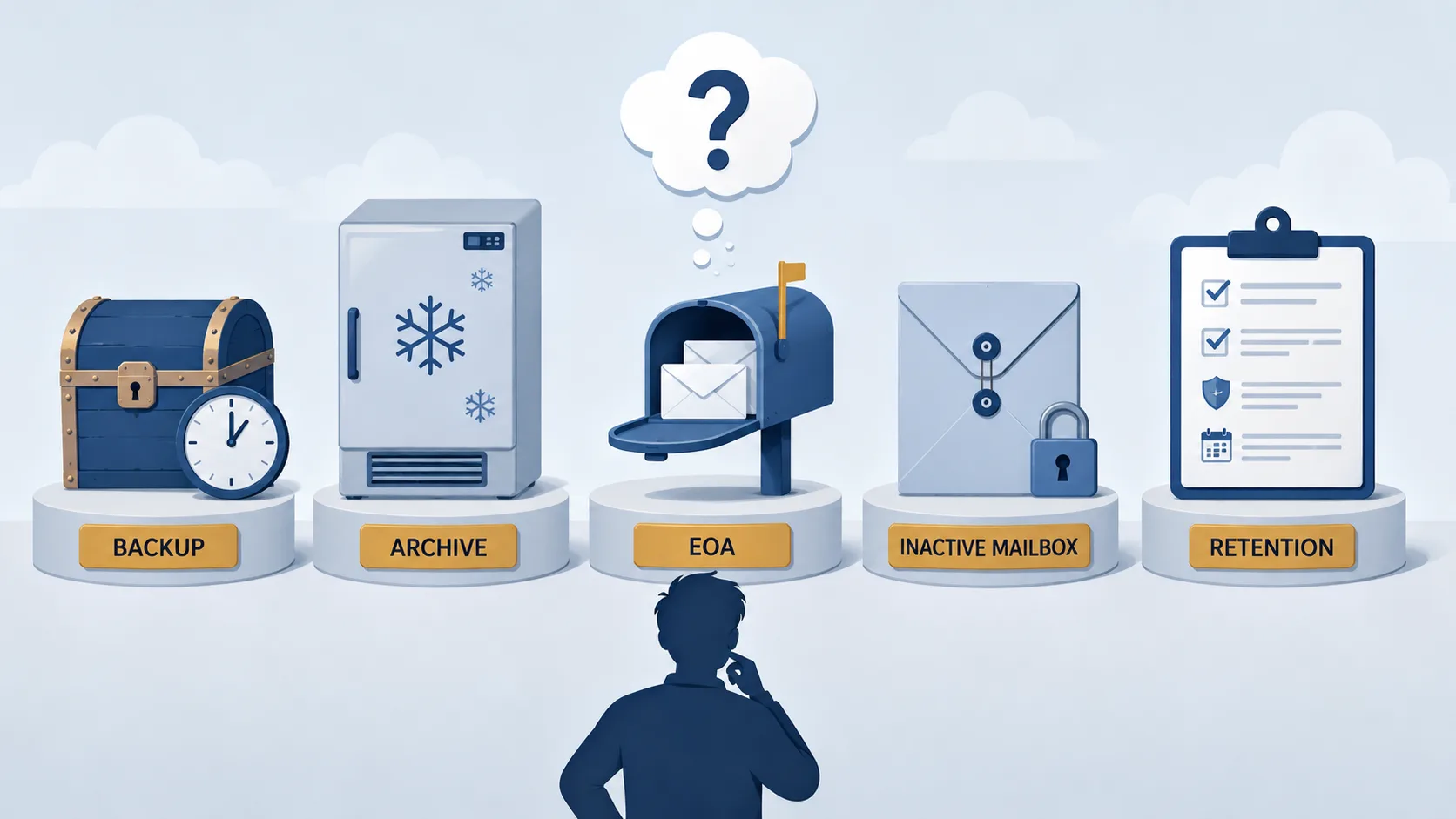
Microsoft 365 has five overlapping features for preserving content: Microsoft 365 Backup, Microsoft 365 Archive, Exchange Online Archiving, inactive mailboxes, and Purview retention policies and labels. They are not interchangeable. Each solves a different problem, and any one of them used in place of another typically fails an audit, a tribunal, or a ransomware recovery six months later. This post explains what each one actually does, what it does not do, and where third-party tools like Squirrel and Chipmunk fit alongside.
This is the single most confused area in Microsoft 365 data lifecycle. Administrators reach for retention policies when they need backup. They expect inactive mailboxes to preserve OneDrive (they don't). They confuse the archive mailbox in Exchange (active users) with departed-user preservation (a different problem entirely). The terminology overlaps because Microsoft has built each feature to solve a specific compliance, continuity, or cost problem - not a single unified "preservation" problem.
At a Glance
| Feature | Primary purpose | Retention | Who initiates | What it does NOT do |
|---|---|---|---|---|
| Microsoft 365 Backup | Short-term BCDR; ransomware/accidental-deletion recovery | 1 year | Administrator (paid feature) | Long-term archive, departed-user preservation |
| Microsoft 365 Archive | Cold storage for inactive SharePoint sites and files | Indefinite (paid storage) | Administrator (site) / End user (file, preview) | Backup; OneDrive personal storage |
| Exchange Online Archiving (EOA) | Larger mailbox for licensed users | While licence is active | Administrator policy / end user | Preserve mailbox after the licence is reclaimed |
| Inactive mailbox | Preserve a departed employee's mailbox under hold | Duration of the hold | Triggered by hold + account deletion | Preserve OneDrive, Teams chats, SharePoint personal content |
| Purview retention policies and labels | Rule-based retention/disposal across M365 | Configurable, per rule | Administrator (policy) / user (label) | Backup; surface or restore deleted content end-user-side |
Microsoft 365 Backup
Microsoft 365 Backup is Microsoft's native backup-as-a-service for OneDrive, SharePoint, and Exchange Online. It is designed for business continuity and disaster recovery scenarios - ransomware encryption, accidental or malicious deletion, mass overwrite events - not for long-term retention or compliance archive.
- What it covers: OneDrive accounts, SharePoint sites, Exchange Online mailboxes.
- Retention period: 1 year for all three workloads.
- Recovery points: 10-minute granularity for the last two weeks, weekly snapshots for weeks 2 through 52 (OneDrive and SharePoint); 10-minute granularity for the full 52 weeks (Exchange).
- Cost: Microsoft publishes a pay-as-you-go rate of $0.15 per GB per month for protected data. Restores are free.
- Where data sits: Inside the Microsoft 365 data trust boundary, in customer-tenant-region append-only storage. Data never leaves Microsoft's environment.
- Restore granularity: Full OneDrive account, full SharePoint site, full Exchange mailbox restores. Granular folder and file restore is in public preview as of December 2025.
What Microsoft 365 Backup is not. It is not long-term archive - 1 year. It is not departed-user preservation - the backup is scoped to active accounts. It is not designed for compliance retention, which can run to seven years or longer. And it does not move cold content to a cheaper storage tier - the bytes are backed up, not displaced.
Where it fits. Use Microsoft 365 Backup when the failure mode you are insuring against is fast and catastrophic: ransomware encryption, an admin error that wipes a site, a departing employee deleting their OneDrive on the way out. It is BCDR insurance, not a substitute for archive, retention, or departed-user preservation.
Microsoft 365 Archive
Microsoft 365 Archive is Microsoft's cold-storage tier for SharePoint Online. It moves inactive content into a lower-cost tier inside Microsoft's cloud and pulls it back when needed. Site-level archive is generally available; file-level archive is in public preview with general availability rolling out between late June 2026 and late July 2026.
- What it covers: SharePoint sites (site-level archive); individual files in SharePoint sites (file-level archive, preview).
- Retention period: Indefinite while paid.
- Who initiates: Site-level archive is administrator-initiated or retention-policy-driven. File-level archive in the public preview is end-user-initiated, file by file - there is no policy-driven file archive.
- Restore time: Site reactivation up to 24 hours. File-level archive: under 7 days is fast; 7 days or more can take up to 24 hours. Reactivated files cannot be re-archived for 120 days (Microsoft increased this lockout from 30 to 120 days in June 2026).
- Cost: Microsoft publishes a reduced archive rate per gigabyte (below the active SharePoint overage rate of $0.20/GB/month).
- Where data sits: Inside Microsoft's cloud.
- Copilot visibility: Microsoft documents that "Copilot is not trained on archived content" - archived files disappear from Copilot's knowledge.
What Microsoft 365 Archive is not. It is not backup - archived content can still be deleted, encrypted, or overwritten before archive. It is not OneDrive archive - file-level archive supports SharePoint sites only. It is not departed-user preservation - it preserves content, not user-owned data tied to a licence.
Known limitations of file-level archive in preview. Microsoft documents these surfaces as having known issues: Word Online and PowerPoint Online; Teams, OneDrive, and SharePoint mobile apps; macOS OneDrive sync; older Windows OneDrive sync; older Office desktop apps. OneNote files, SharePoint pages, SharePoint agents, and Site Assets cannot be archived at the file level at all.
See the full breakdown in Squirrel vs Microsoft 365 Archive in 2026.
Exchange Online Archiving (EOA)
Exchange Online Archiving is Microsoft's in-place archive mailbox feature for Exchange Online users. Each licensed user gets a second mailbox - the archive mailbox - that holds older or lower-priority email and frees space in the primary mailbox. EOA is widely confused with two adjacent things: it is not a backup, and it is not a long-term archive for departed-user data.
- What it covers: Email, calendar items, and contacts for the licensed user.
- Retention period: While the licence is active. Once the user account is removed and the licence is reclaimed, the mailbox follows Microsoft's standard deletion timeline (30 days soft-delete, 30 days permanent delete).
- Who initiates: Administrators define retention policies that move messages from primary to archive mailbox; users can also move items manually.
- Cost: Included with several Microsoft 365 licence SKUs (E3, E5, Exchange Online Plan 2); available as an add-on for lower SKUs.
- Capacity: Default 100 GB archive mailbox, expandable to 1.5 TB via auto-expanding archive on eligible plans.
What EOA is not. It is not a backup - if an item is deleted before it reaches the archive, EOA does not preserve it. It is not departed-user preservation - the archive mailbox depends on the active licence and is removed when the licence is reclaimed. It does not cover OneDrive, Teams chats, or SharePoint content.
See Exchange Online Archiving: what it is and what it doesn't cover for the full breakdown.
Inactive Mailbox
An inactive mailbox is a soft-deleted Exchange Online mailbox preserved under a hold after the user account is deleted. It is Microsoft's recommended pattern for retaining a former employee's email without keeping their licence active.
- What it covers: The Exchange mailbox of a deleted user account - only if a hold was applied before the account was deleted.
- Retention period: Duration of the hold. If the hold is removed, the inactive mailbox is permanently deleted.
- What converts a mailbox into an inactive mailbox: A Microsoft 365 retention policy, a retention label, an eDiscovery hold, or a Litigation Hold applied to the mailbox before the user account is deleted. Microsoft recommends Microsoft 365 retention (policy or label).
- Licence required: No - this is the headline benefit. Inactive mailboxes do not consume a Microsoft 365 licence.
- How to access the data: Through Purview Content Search or eDiscovery search and export. Inactive mailboxes are not accessible via Outlook or OWA.
What an inactive mailbox is not. It is not OneDrive preservation - it is mailbox-only. It is not Teams chat preservation (Teams chats live in Exchange but the conversation context requires Purview retention separately). It is not a file restore mechanism for end users - access is administrator-driven through Purview. And inactive mailboxes that were configured with an auto-expanding archive cannot be recovered or restored; the data is exportable through Content Search for eDiscovery only.
Where it fits. Inactive mailboxes are the correct answer for "we need to preserve this former employee's email under a regulator-compliant hold for X years, without paying for a licence." They are not the correct answer for "we need to preserve everything the user had access to, including OneDrive and Teams" - that's a broader problem.
Purview Retention Policies and Labels
Microsoft Purview retention policies and retention labels are the rule-based retention engine that sits across Microsoft 365 workloads. Both control whether content is retained, deleted, or both - but at different scopes.
- Retention policy: Applied at the workload level - Exchange email, SharePoint sites, OneDrive accounts, Microsoft 365 Groups, Skype for Business, Exchange public folders, Teams channel messages, Teams chats and Copilot interactions, Teams private channel messages, Viva Engage. A single policy applies to all in-scope content uniformly.
- Retention label: Applied at the item level - to specific files or emails. Users can apply labels manually; auto-labelling rules can match on content or metadata. Labels survive the file moving between locations.
- Actions: Retain only, retain and then delete, or delete only.
- Hold behaviour: A retention policy or label set to "retain" creates a hold on the content. For mailboxes, this is what converts a mailbox into an inactive mailbox when the user account is deleted.
What retention is not. It is not backup. Retention preserves content that exists; it does not protect against ransomware encryption (the encrypted version is what's retained), it does not roll back to a prior point in time, and it does not surface deleted items to end users for restore. It is also not archive in the storage-tier sense - retained content stays in its original location and storage tier.
Where retention sits with the others. Retention is the policy layer. Inactive mailboxes are the by-product of retention applied to a mailbox followed by account deletion. M365 Archive can be driven by retention at the site level. Microsoft 365 Backup is fully isolated - Microsoft documents that "retention and deletion policies (for example, from Purview) don't affect the backup retention period."
Teams Chat Retention Policies Specifically
Teams retention has its own quirks worth knowing. Teams chats and Teams channel messages are separate retention locations - a policy covering one does not cover the other, and private channel messages are a third scope again. Retention can be set as short as one day, and when a deletion action fires, the messages are purged from the underlying mailboxes where Teams journals them.
The two misconceptions that catch admins: a Teams retention policy is not a backup or an export - it controls how long messages exist, but provides no copy and no way to hand a conversation to HR or legal (that still requires eDiscovery, or an archive; see how to export a Teams chat). And for a departed user, retention holds their chats only as long as their mailbox exists - if the account is deleted without a hold or an archive, the retention policy does not save the conversation history.
How They Compare
| Question | Backup | Archive | EOA | Inactive Mailbox | Retention |
|---|---|---|---|---|---|
| Protects against ransomware? | Yes | No | No | No | No |
| Long-term cold storage? | No (1 year) | Yes | No | Yes (under hold) | No - same tier |
| Reclaim a Microsoft 365 licence? | No | No | No | Yes | No |
| Covers OneDrive? | Yes | No (SharePoint only) | No | No | Yes |
| Covers Exchange mailbox? | Yes | No | Yes (active) | Yes (departed, under hold) | Yes |
| Covers Teams content? | Indirect (via Exchange/OneDrive) | No | No | No (chats need separate retention) | Yes (chats and channel messages) |
| End-user restore? | Partial (granular file restore in preview) | Yes (file-level archive) | n/a | No | No |
| Customer-owned storage? | No - Microsoft's cloud | No - Microsoft's cloud | No - Microsoft's cloud | No - Microsoft's cloud | n/a |
Common Mistakes
"We have retention policies so we're covered for backup." Retention preserves content that exists; ransomware encrypts that content first, and then retention preserves the encrypted version. Backup and retention are independent layers - you need both for different threat models.
"EOA preserves a departed user's mailbox." No. The archive mailbox depends on the active licence. When the licence is reclaimed, the mailbox follows Microsoft's standard 30+30 day deletion timeline. For departed-user mailbox preservation, you need an inactive mailbox (which requires a hold before account deletion) or a third-party tool that captures the data into storage you own. See Inactive Mailbox vs Shared Mailbox vs Archive Mailbox for the full distinction between the three patterns.
"Microsoft 365 Archive backs up our SharePoint sites." It moves cold content to a cheaper tier inside Microsoft's cloud. It does not protect against deletion, encryption, or overwrite. Use Microsoft 365 Backup for that.
"Inactive mailbox covers OneDrive too." Inactive mailbox is Exchange-only. The departed user's OneDrive starts its 30-day soft-delete timer the moment the account is disabled, independently of any mailbox hold. Preserving OneDrive requires either a retention policy on OneDrive accounts (which keeps the data in the disabled user's OneDrive, still inside Microsoft) or a third-party tool that captures the data to storage you own.
"M365 Archive file-level archive is the same as having a hierarchical storage management system." Not yet. The public preview has documented limitations across mobile apps, macOS sync, older Windows sync, Word Online, PowerPoint Online, Clipchamp, and Power BI. The OneNote, SharePoint pages, and Site Assets file types cannot be archived at all. Compare with the third-party HSM coverage in Squirrel vs Microsoft 365 Archive in 2026.
"Copilot will still find archived files." Microsoft documents that "Copilot is not trained on archived content." Archived files drop out of Copilot's knowledge. Squirrel combined with Nutshell AI keeps an AI summary in the stub file so archived content remains discoverable to Copilot. See Microsoft Copilot and archived SharePoint content for the full breakdown of the two distinct visibility failure modes and how each is closed.
Where Squirrel and Chipmunk Fit
Microsoft's five features cover most of the preservation surface but leave two well-defined gaps that third-party tools fill.
Gap 1: SharePoint cold-storage HSM that works across the SharePoint surfaces, runs on policy, and keeps content visible to Copilot. Microsoft 365 Archive is moving in this direction but the file-level mode is preview-only, manual, and has documented surface gaps. Squirrel moves SharePoint content to the customer's own Azure Blob Storage, leaves stub files in place across SharePoint, OneDrive sync, and Teams, runs scheduled rule-based policies, and combines with Nutshell AI to keep archived content visible to Microsoft Copilot. Customer-owned Azure storage means there is no SmiKar-hosted copy of the data.
Gap 2: Full departed-user preservation across OneDrive, Exchange, and Teams - in storage the customer owns. Inactive mailbox covers Exchange only. EOA covers active users only. Retention policies preserve data but keep it inside Microsoft's cloud, billed against the customer's tenant. Chipmunk captures the OneDrive, Exchange mailbox, and Teams data of a departed user into the customer's own Azure Blob Storage, lets the customer release the Microsoft 365 licence, and leaves a clean audit trail. Deployed from the Azure Marketplace into the customer's tenant.
Neither tool replaces backup. Neither tool replaces retention. Both sit alongside the native features as the long-term, customer-owned layer.
On the email side specifically, the four different jobs the word archiving covers are compared in email archiving solutions.
Frequently Asked Questions
Is Microsoft 365 Backup the same as Microsoft 365 Archive?
No. Backup is short-term BCDR protection - 1-year retention, point-in-time restore for ransomware and accidental deletion. Archive is long-term cold storage for inactive sites and files. They serve different scenarios and are billed separately.
Do retention policies count as backup?
No. Retention preserves the version of content that exists at retention time; if a file is encrypted by ransomware or overwritten before retention captures it, the retained version is the corrupted version. Microsoft 365 Backup uses append-only storage that ransomware cannot modify and is isolated from retention policy changes.
Does an inactive mailbox preserve OneDrive?
No. Inactive mailbox is Exchange-only. To preserve a departed user's OneDrive, apply a Purview retention policy to the OneDrive account before the account is deleted, or use a third-party tool that captures the data to storage you control.
Does Exchange Online Archiving preserve a departed user's mailbox?
No. EOA is the archive mailbox for active, licensed users. When the user's licence is reclaimed, the archive mailbox follows Microsoft's standard deletion timeline. For departed-user mailbox preservation, use an inactive mailbox (requires a hold) or a third-party tool. See Exchange Online Archiving: what it is and what it doesn't cover.
What does Microsoft 365 Backup cost?
Microsoft documents pay-as-you-go pricing of $0.15 per GB per month for all data protected by Backup. Restores are free. Microsoft 365 Backup is a paid add-on, not bundled with standard Microsoft 365 licences.
Can Microsoft Copilot see archived content?
No. Microsoft documents that "Copilot is not trained on archived content." Files archived with Microsoft 365 Archive disappear from Copilot's knowledge. The combination of Squirrel and Nutshell AI embeds an AI summary in the SharePoint stub so the archived document remains discoverable to Copilot through the stub.
Does Teams chat fall under any of these?
Teams chats are stored in hidden Exchange folders, so they are indirectly covered by Exchange-scoped features (backup, retention with Teams chats as a location) but not by EOA or inactive mailbox. For full Teams chat preservation, configure a Microsoft 365 retention policy with Teams chats as a retention location, or use Microsoft 365 Backup with Exchange in scope.
Can I use just one of these and skip the others?
Almost never. Each one solves a different problem: backup for BCDR, archive for cold-storage cost, EOA for mailbox size, inactive mailbox for departed-user mailbox under hold, retention for rule-based preservation. Most enterprises end up using some combination of all five, plus a third-party tool for SharePoint HSM or departed-user preservation where the native gaps matter.
Related reading
- Squirrel vs Microsoft 365 Archive in 2026 - the SharePoint archive comparison in depth.
- Exchange Online Archiving: what it is and what it does not cover - the EOA explainer.
- Microsoft 365 departed user archiving - departed-user preservation across OneDrive, Exchange, Teams.
- SharePoint document lifecycle - the end-to-end lifecycle view.
- OneDrive quota enforcement July 2026 (MC1310684) - the imminent OneDrive read-only enforcement.
- SharePoint Online archiving - the complete enterprise guide - the broad SharePoint archive overview.
See Real Customer Outcomes
For three documented Squirrel customer outcomes - Fortune 500 healthcare, FTSE 250 engineering, and mid-market financial services - with over $2.1 million per year in combined Microsoft 365 storage savings, read the customer case study compilation.
Mark Smith co-founded SmiKar Software in 2015 and has spent the past decade helping organisations solve Microsoft 365 data management challenges. He works with the SmiKar team to build solutions for SharePoint archiving, storage optimisation, governance and compliance, supporting customers from growing businesses through to Fortune 500 enterprises.
More about SmiKar