
Most "User Activity" in the Audit Log Is Not a User
A large share of what the Microsoft 365 audit log records as user activity is generated by the platform itself: SharePoint rendering pages, Office web viewers fetching document bytes, provisioning pipelines stamping new sites, browsers pulling PDFs in chunks. All of it is real activity, correctly recorded, attributed to a real account. Almost none of it is a decision a person made.
This is why audit-log alerting has a reputation for being unusable. The events are not wrong. The interpretation is. A rule that counts download events will count a person opening a document in Word Online as several downloads, and a rule that counts site access will count the SharePoint home page rendering its tiles as visiting fifteen sites.
Below are twelve patterns that regularly read as attack behaviour, what each one actually is, and the detail that separates it from the real thing. If you are writing detections against the audit log, or wondering why your existing alerts are ignored, this is where most of the volume comes from.
Downloads That Are Not Downloads
1. Office web viewer fetches
Looks like: one file downloaded five times in a short window, hundreds of megabytes transferred.
Actually is: the user opened a document in Word, Excel or PowerPoint Online. The web viewer fetches the underlying bytes repeatedly as pages render. None of those bytes ever leave the tenant.
The discriminator: the client is Microsoft's own viewer, and the repeated fetches are all against the same file.
2. Browser PDF chunk fetches
Looks like: 63 downloads of a single document.
Actually is: somebody viewing a large PDF inline in the browser. The viewer pulls the file in chunks, generating one audit event per chunk.
The discriminator: the ratio of fetches to distinct files. A high ratio, roughly ten or more fetches across three or fewer files, is a viewer. Genuine bulk exfiltration is many distinct files at a ratio near one.
3. Thumbnail and preview generation
Looks like: bulk downloads across many files in seconds, potentially gigabytes.
Actually is: SharePoint generating preview thumbnails. The actors are Microsoft service processes with names in the ODMTADemand-Transform and Office*CA families.
The discriminator: the acting identity is a Microsoft service process, not a user account.
4. A folder downloaded as a ZIP
Looks like: 150 manual downloads, firing volume, deviation and sensitive-extension rules simultaneously.
Actually is: one click on Download against a folder. SharePoint fetches every file individually to build the archive, producing one audit event per file for a single user action.
The discriminator: the packager is identifiable, and the files all belong to one folder. Worth noting this one is genuinely worth reviewing rather than filtering outright, because downloading an entire folder is a real exfiltration route. What should be suppressed is the three or four additional alerts the same click sets off.
5. One dominant large file
Looks like: a byte volume forty times the user's baseline.
Actually is: somebody downloaded a single large object, a CAD model, a training video, a meeting recording, that accounts for most of the day's bytes.
The discriminator: volume concentrated in one file is not the shape of exfiltration. Bulk theft spreads across many files.
Access That Is Not Access
6. Site icon fetches
Looks like: a user accessing fifteen new sites within a minute, which is exactly the shape of reconnaissance.
Actually is: the SharePoint start page rendering its site cards. Each card fetches a __siteIcon__ resource, and each of those lands in the audit log as a site-access event.
The discriminator: the resource requested is the icon, not the site. Filtering __siteIcon__ from site-access counting leaves you with sites the person actually navigated into.
Sign-in Failures That Are Not Attacks
7. Shared office egress read as password spray
Looks like: five users failing sign-in from a single IP address.
Actually is: colleagues behind the same office NAT gateway, each mistyping a password or working with an expired one.
The discriminator: did the same users also sign in successfully from that address, and is the address already known as shared office or VPN egress? An external attacker satisfies neither test, so the pattern stays sharp where it matters.
8. Stale session retries
Looks like: seven failed sign-ins within one second, matching username enumeration or spray.
Actually is: a device with an expired token retrying automatically. Microsoft returns an error code such as FlowTokenExpired.
The discriminator: the error code. Token-expiry retries are a client behaviour, not a credential guess, and should not feed enumeration or spray counters.
9. Office Online reported as an unmanaged device
Looks like: unmanaged device access on sensitivity-labelled files.
Actually is: Excel or Word Online co-authoring and render-farm requests, using the MSWAC and MSOCS clients. They report an unmanaged device because there is no device in the request path at all. The work happens inside Microsoft's browser render farm.
The discriminator: those specific client identifiers. Genuine BYOD traffic from a real unenrolled device still needs to fire.
Administrative Changes Nobody Made
10. Microsoft provisioning identities granting site admin
Looks like: a critical alert that site collection administrator was granted.
Actually is: automatic Teams or site provisioning. The service actors Microsoft\ServiceOperator and SHAREPOINT\system grant themselves the role they need during setup.
The discriminator: the identity. Neither of those can be impersonated externally, and any other identity granting site admin is a genuine event.
11. The site provisioning burst
This is the most interesting one, because it is stamped with a real person's identity.
Looks like: three separate admin alerts on an ordinary user at the same moment: permission escalation, site collection admin granted, and tenant policy changed.
Actually is: the user created a Team or a Plan. Microsoft's provisioning pipeline automatically performs a SiteCollectionCreated then SiteCollectionAdminAdded then SharingPolicyChanged sequence, and attributes those automatic operations to the creating user. Filtering on service accounts will not catch this, because the identity is a real employee.
The discriminator: correlation by site. If every administrative operation in the window targets a site that was created in that same window, and the admin grant went to that site's own Owners group rather than to a named person, it is provisioning. A grant to a specific individual, or any grant on a site that already existed, is real.
Sharing That Is Not What It Counts
12. Organisation-wide share fanout
Looks like: six organisation-wide links created.
Actually is: one click on Share. The platform generates the link plus bookkeeping and initial-open events, typically four to six audit events per user-visible action.
The discriminator: count distinct files newly shared, not raw sharing events.
The Rule for Filtering Safely
Every one of these is a case where suppressing the wrong thing creates a blind spot. Two principles keep that from happening.
Filter on the discriminator, not the symptom. "Ignore large download bursts" is dangerous. "Exclude fetches by Microsoft's own viewer clients against a single file" is safe, because it describes the machinery specifically enough that a human doing the same thing still registers.
Demote rather than delete. A suppressed event should drop out of the alert queue but stay in the record. If an analyst later asks why nothing fired, the answer has to be visible and auditable, and the reasoning has to name which filter applied. Silent suppression is how blind spots survive.
The related trap is the opposite failure: a rule so noisy that people stop reading it. An alert queue dominated by rendering and provisioning traffic is functionally the same as no alerting, because the real event arrives in a list nobody opens.
Where This Sits Relative to Native Tooling
The unified audit log records the events. It does not interpret them, and it has no concept of platform noise. Everything above has to be encoded by whatever reads the log. See SharePoint audit log for what the native log covers and where it stops.
Burrow implements these distinctions as deterministic noise gates. There is no model deciding what counts as machinery: each gate describes a specific platform pattern explicitly, demoted alerts stay visible in the dashboard at low severity rather than disappearing, and the alert's reasoning text names the gate that applied so a demotion can always be audited.
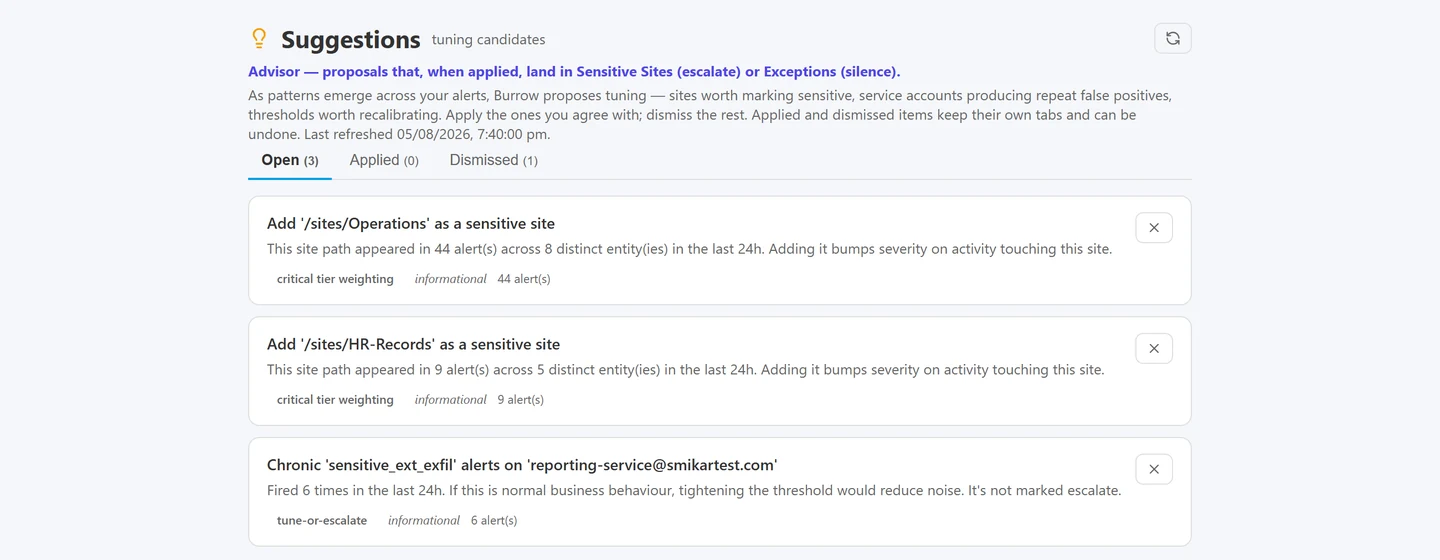
Where repeated dismissals become a proposed exception, so tuning is a decision you review rather than a threshold somebody guessed.
Burrow monitors SharePoint and Entra ID audit events and emails alerts, and is a SaaS addon to the Squirrel platform rather than a separate deployment.The full reference is in the Burrow noise gate catalog.
Sign-in geography has its own version of the same problem, where the location in the log belongs to the network rather than the person: impossible travel in Microsoft 365.
For the other direction, which ATT&CK techniques the audit log genuinely evidences, see MITRE ATT&CK techniques in the Microsoft 365 audit log.
Frequently Asked Questions
Why does the SharePoint audit log show so many downloads for one file?
Usually because the file was viewed rather than downloaded. Office Online fetches a document's underlying bytes several times while rendering it, and the browser's inline PDF viewer fetches large files in chunks with one audit event per chunk. In both cases the content stays in the tenant. The tell is a high ratio of fetch events to distinct files; real bulk downloading is many different files fetched about once each.
Why does a user appear to have accessed many sites at once?
Most often it is the SharePoint start page rendering its site cards. Each card requests a __siteIcon__ resource, and each request is logged as a site-access event. Excluding icon fetches leaves the sites the person actually opened.
Why did creating a Team trigger admin and policy alerts?
Microsoft's provisioning pipeline automatically creates the site, adds a site collection administrator, and sets the default sharing policy, and it attributes all of that to the user who created the Team. It looks like privilege escalation by an ordinary account. The distinguishing detail is that every operation targets a site created in that same moment, and the admin grant goes to the site's own Owners group rather than to a named person.
Are five failed sign-ins from one IP address a password spray?
Not necessarily. Colleagues sharing an office NAT gateway produce exactly that pattern when a few of them mistype passwords or hold expired ones. Check whether those same users also authenticated successfully from that address and whether it is a known office or VPN egress. Also check the error code: automatic retries with an expired token, such as FlowTokenExpired, are a client behaviour rather than credential guessing.
Why does Office Online show as an unmanaged device?
Because there is no device involved. Excel and Word Online requests come from Microsoft's browser render farm using the MSWAC and MSOCS clients, which cannot report device compliance because no endpoint is in the request path. Genuine unmanaged access from a real unenrolled device is a separate signal and should still alert.
Is it safe to filter audit log noise out of security alerting?
Only if you filter on a discriminator rather than a symptom. Excluding a specific Microsoft service client, or requests against a single file by a known viewer, is safe because a human performing the same action still registers. Excluding "large download bursts" is not, because that is exactly what exfiltration looks like. Suppressed events should also stay visible in the record with the reason attached, so a decision not to alert can be reviewed.
Related reading
- SharePoint audit log: what it records and how to search it
- SharePoint mass deletion: telling an attack from a folder move
- SharePoint audit log monitoring and alerts
- SharePoint external sharing: secure configuration guide
- Departing employee data theft in Microsoft 365
Make the Queue Reflect Intent
If your audit alerting is ignored because it is mostly rendering and provisioning traffic, the fix is not a higher threshold, it is a better discriminator. See how Burrow separates platform noise from human intent. Questions: sales@smikar.com.
Mark Smith co-founded SmiKar Software in 2015 and has spent the past decade helping organisations solve Microsoft 365 data management challenges. He works with the SmiKar team to build solutions for SharePoint archiving, storage optimisation, governance and compliance, supporting customers from growing businesses through to Fortune 500 enterprises.
More about SmiKar