
Archive SharePoint. Keep your data. Cut the bill.
Squirrel automatically moves inactive SharePoint Online documents into your own Azure Blob Storage. Most enterprises save 60-85% on their SharePoint storage costs - without users ever noticing a file moved.
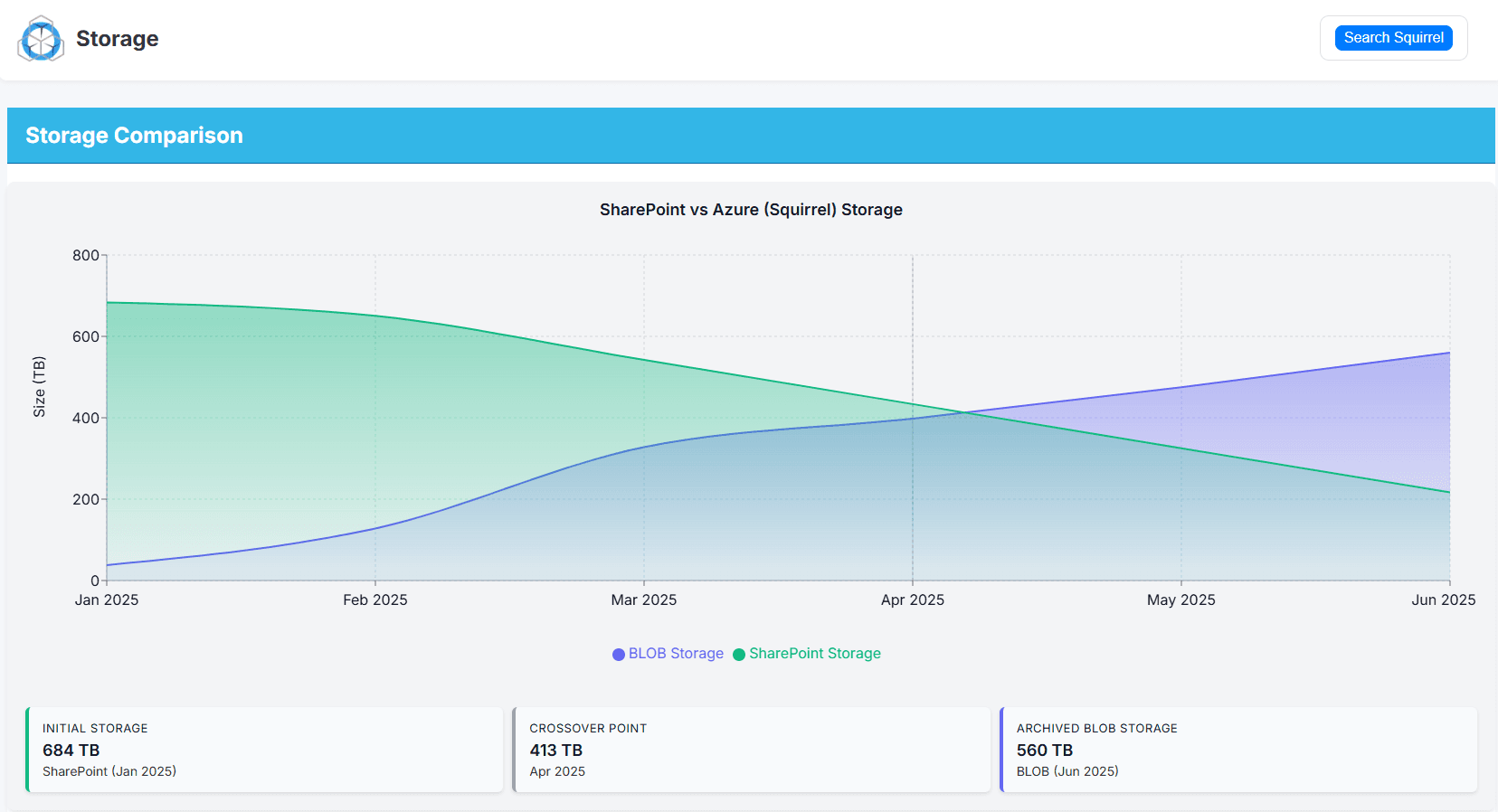
SharePoint storage cost typically saved
User-led restore from inside SharePoint
Archive data resides in your Azure subscription
Features
Everything you need to archive at scale.
Eight years of building SharePoint tools, in one focused product.
AI document summarisation
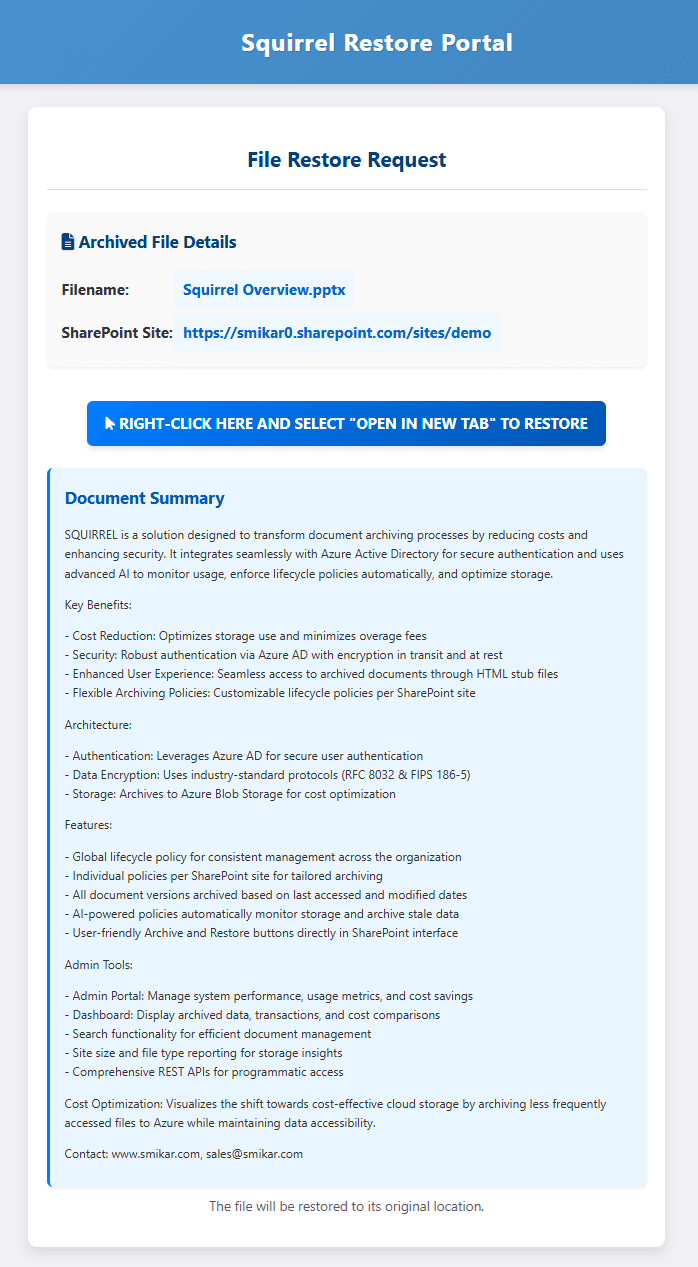
Squirrel's Nutshell engine generates a concise summary of every archived document and embeds it in the SharePoint stub - keeping content findable for users, SharePoint Search and Copilot.
Up to 85% cost reduction
Move cold SharePoint documents into cheap Azure Blob tiers. Most enterprises save 60-85% on their SharePoint storage costs with Squirrel running.
One-click self-service restore
Archived files leave a stub in SharePoint with the original name. Users restore in one click - no IT ticket required.
Data stays in your tenant
Archives land in your own Azure Blob Storage account in your subscription. Encrypted at rest, compressed before upload, governed by your policies.
Findable while archived
Stub files stay indexed by SharePoint Search, the OneDrive client and Microsoft Copilot - so users discover and cite archived content without rehydrating it first.
Deployed in your region
Squirrel runs in the same Azure region as your tenant - keeping data residency, latency and compliance aligned.
OneDrive-sync aware
Files in OneDrive-synced SharePoint folders are handled the same way as any other SharePoint content - archived documents remain accessible through the familiar OneDrive experience.
Comprehensive reporting
Track usage, savings, lifecycle activity and storage growth across every site and library - built for compliance, surfaced for ops.
Stubs that say something.
When Squirrel archives a document, our Nutshell engine writes an AI-generated summary into the stub left behind in SharePoint. SharePoint Search, the OneDrive client and Microsoft Copilot all pick that summary up - so archived content stays findable, citable and useful, even before it's rehydrated.
- Summaries embedded directly into stub metadata
- Indexed by SharePoint Search and Microsoft Search
- Copilot citations point to the right archived document
- Users decide whether to rehydrate based on what's inside
How it works
Three moving parts. No surprises.
Connect your tenant
SmiKar deploys a dedicated Squirrel instance in your Azure region, with least-privilege access to your SharePoint Online tenant and your Azure Blob Storage account.
Set lifecycle policies
Define rules for when documents should be archived - by age, last-access, library, file type, anything you can express against your SharePoint estate.
Archive runs itself
Eligible files are moved into your Azure Blob Storage account, encrypted and compressed, with searchable stubs left in their original SharePoint location.
FAQ
Questions, answered.
How much can Squirrel actually save on SharePoint storage?
Where does my archived data actually live?
Can users find and restore their archived files?
Does archiving break SharePoint Search or Microsoft Copilot?
How long does it take to deploy Squirrel?
What does Squirrel cost?
See your numbers in 30 minutes.
We'll run a free SharePoint storage assessment against a sample of your tenant and show you exactly how much storage Squirrel can recover.
Technical deep dive
Get the Squirrel whitepaper.
The full technical case - architecture, deployment model, security controls and a worked cost-savings example for IT, security and procurement teams evaluating Squirrel.
- AI-powered stub summaries for SharePoint Search and Copilot
- Encryption at rest and in transit (RFC 8032, FIPS 186-5)
- Per-customer deployment in your Azure region - dedicated, not shared
- SharePoint vs Azure Blob Storage cost model and ROI