What Is Exchange Online Archiving?
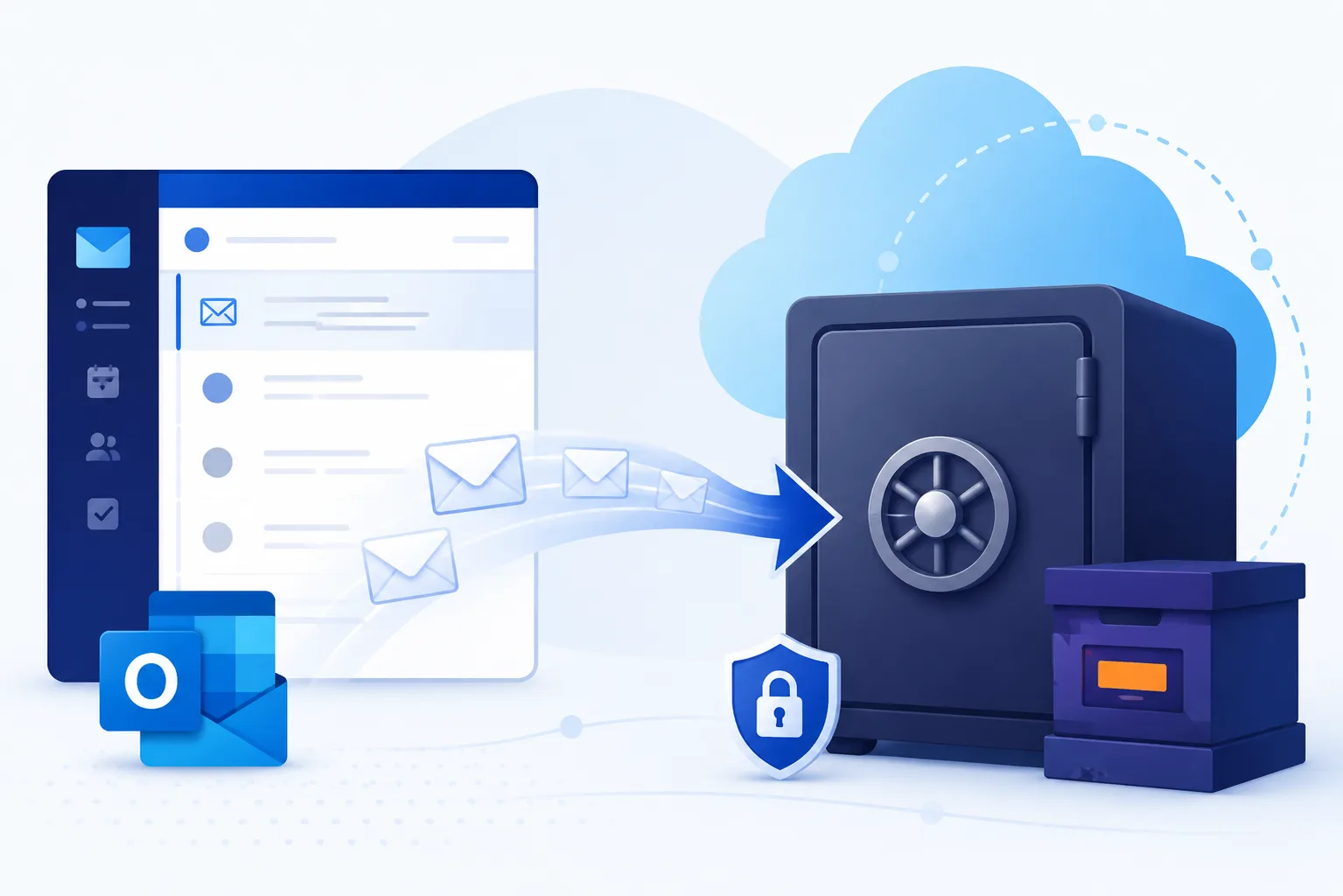
Exchange Online Archiving (EOA) is Microsoft's in-place archive mailbox feature for Exchange Online users. Each licensed user gets a second mailbox - separate from their primary inbox but accessible from Outlook - that holds older or lower-priority email and frees up space in the primary mailbox. Microsoft handles the underlying storage, expansion, and indexing; administrators define which messages move there using retention policies.
EOA is widely confused with two adjacent things: it is not a backup, and it is not a long-term archive for departed-employee data. Both of those are gaps EOA does not cover, and both are common reasons enterprises end up looking for something beyond EOA - including Chipmunk for departed-user mailbox preservation.
This guide explains what Exchange Online Archiving actually does, what it costs, how it is licensed, what it does not cover, and where third-party tools fit alongside it.
Exchange Online Archiving Licence: Which Plans Include It
The first question most admins have is whether they already own it. Per Microsoft's Exchange Online Archiving service description, the split is exact:
| Already includes archiving (no add-on needed) | Requires the EOA add-on licence |
|---|---|
| Exchange Online Plan 2 | Exchange Online Plan 1 |
| Microsoft 365 Business Premium | Exchange Online Kiosk |
| Microsoft 365 E3 | Microsoft 365 Business Basic |
| Microsoft 365 E5 | Microsoft 365 Business Standard |
| Microsoft 365 F5 Compliance | Microsoft 365 F3 |
| Office 365 E3, E5, A3, A5 | Office 365 E1, A1, G1, F3 |
Two distinctions catch people out. Exchange Online Plan 1 does not include archiving; Plan 2 does - that difference is the main reason organisations discover they need the add-on. And Business Premium includes it while Business Basic and Business Standard do not, so "we are on a Business plan" is not an answer by itself.
There are also two variants for organisations that are not fully cloud. Exchange Online Archiving for Exchange Server provides a cloud archive for mailboxes still hosted on a supported version of Exchange Server, which requires a hybrid deployment, and the same entitlement is available through the Enterprise CAL Suite.
What Exchange Online Archiving Costs
The standalone add-on is commonly listed at around $3.00 per user per month on an annual commitment, with month-to-month pricing higher. Microsoft adjusts pricing and regional rates differ, so treat that as a sizing figure and confirm against Microsoft's current Exchange Online Archiving plan page before buying.
The practical shape of the cost question: if you are on E3 or above, you are already paying for EOA whether you use it or not. If you are on E1, F3, Business Basic or Standard, or Exchange Online Plan 1, adding EOA across a few thousand mailboxes becomes a real recurring line item - worth weighing against what it does and does not solve, below.
How Exchange Online Archiving Works
Once enabled on a mailbox, EOA creates an in-place archive that appears in Outlook as a separate folder tree below the primary mailbox. From the user's perspective:
- The archive looks and behaves like a regular mailbox folder.
- Search across "All Mailboxes" includes archive content.
- Older or rule-matched messages move into the archive automatically based on the Default MRM Policy or a custom retention policy.
- Auto-expanding archive grows the archive automatically as content accumulates. Every EOA subscriber starts with 100 GB of archive storage, and once auto-expanding archiving is turned on, Microsoft adds space incrementally as that fills, up to a maximum of 1.5 TB.
Administrators control what moves to the archive via retention tags and retention policies in the Microsoft 365 compliance centre. eDiscovery, Litigation Hold, and In-Place Hold all apply to archive content the same way they apply to primary mailboxes.
The Exchange Online Archive Mailbox: What the User Sees
The licence buys a feature; what the user actually gets is a second mailbox. The Exchange Online Archive appears in Outlook and Outlook on the web as a separate node beneath the primary mailbox, usually labelled Online Archive followed by the account name. It is not a folder inside the primary mailbox and it is not a local file.
Three things about the Exchange Online Archive surprise people the first time they use it:
It is online only. The archive mailbox is not cached locally, so its contents are unavailable without a connection. Outlook's offline mode covers the primary mailbox, not the archive.
Search behaves differently. Searching the primary mailbox does not search the archive by default. The user has to select the archive scope explicitly, which is the single most common reason people conclude that archived mail has been lost.
Items arrive by policy, not by choice. A retention policy moves mail into the Exchange Online Archive on a schedule, typically after two years by default. Users can drag items in manually, but most content lands there because a policy put it there, which is why the move often reads as unexpected.
The archive mailbox is enabled per user and can be turned on for one account without affecting anyone else, provided that account holds a plan that includes archiving or the add-on licence described above.
Exchange Online Archiving Limits and Restrictions
The storage numbers come with conditions that matter for planning, all documented by Microsoft:
- 100 GB to start, 1.5 TB ceiling. Auto-expanding archiving adds storage incrementally once the initial 100 GB fills, and stops at 1.5 TB per mailbox.
- Administrators cannot adjust the archive quota. There is no setting to raise or lower it.
- A 1 GB per day growth cap. Auto-expanding archiving is supported only for individual users, or shared mailboxes whose growth does not exceed roughly 1 GB per day.
- Journaling into an archive is not permitted. Using journaling, transport rules, or auto-forwarding to copy messages into EOA for archiving purposes is explicitly disallowed, and an archive mailbox may not be used to hold multiple users' mail. Microsoft reserves the right to deny additional archive storage where it sees that pattern.
- Hybrid and legacy caveats. Auto-expanding archiving is not supported for mailboxes on Exchange Server 2010, and in hybrid deployments it requires the on-premises mailbox to sit on a supported Exchange Server version.
Two features have also been retired: access to a cloud archive mailbox through on-premises Outlook on the web, and In-Place eDiscovery in current hybrid deployments, which now requires separate searches for cloud and on-premises mailboxes.
What Exchange Online Archiving Doesn't Cover
EOA is purpose-built for one thing: giving active users a larger usable mailbox without bloating the primary. It is not a general-purpose archiving solution, and there are four well-known gaps that catch enterprises out:
1. Departed-user data
The archive mailbox lives inside the user's licence. When that user leaves and you reclaim the licence, the archive mailbox is removed on Microsoft's standard timeline - unless a retention policy or hold preserves it explicitly. Many tenants discover this only when legal asks for an ex-employee's mailbox months later and finds nothing left to discover. The flip side of the same problem: many organisations keep paying for departed users' licences precisely because they're afraid of losing this data - see stop paying for Microsoft 365 licences after staff leave for the safe offboarding pattern.
This is the gap Chipmunk is built for: it automatically detects disabled accounts and archives the user's mailbox (along with OneDrive and Teams content) to your own Azure Blob Storage before Microsoft's deletion timers expire. The licence can then be reclaimed cleanly without losing the data. See the full Microsoft 365 departed-user archiving guide for the offboarding workflow.
2. Backup and recovery
EOA is not a backup. It does not protect against ransomware, malicious admin actions, mass accidental deletion outside retention windows, or corruption events. Microsoft's Shared Responsibility Model is clear that customer data protection sits with the customer; high availability and disaster recovery are not the same as backup. See Microsoft 365 Backup: What MS 365 Covers and What It Doesn't for the full backup-vs-archive picture.
3. SharePoint and OneDrive storage
EOA only applies to Exchange mailboxes. It does nothing for the other half of the Microsoft 365 storage problem - SharePoint and OneDrive content - which for most enterprises is the larger and faster-growing cost. The SharePoint side is handled by Squirrel, which archives inactive SharePoint Online documents into Azure Blob Storage in your own subscription, leaving stub files for one-click restore.
4. Data sovereignty and exit strategy
EOA content lives inside Microsoft's cloud and is governed by Microsoft's licensing. If you need archive data in your own Azure subscription, under your own retention policies, with an independent exit path, EOA does not provide that. Third-party archivers like Chipmunk and Squirrel keep archived content in your tenant, with your encryption keys, so the data outlives the Microsoft licence.
Exchange Online Archiving vs Third-Party Archiving
These solve different problems and often work together rather than competing:
| Need | Exchange Online Archiving | Third-Party Archiving |
|---|---|---|
| Larger mailbox for active users | Yes - in-place archive | Not the primary purpose |
| Departed-user mailbox preservation | Limited (tied to licence) | Yes - Chipmunk archives before licence reclaim |
| SharePoint storage reduction | No | Yes - Squirrel for SharePoint Online |
| Data in customer-owned Azure storage | No | Yes - Chipmunk and Squirrel |
| Backup against ransomware/corruption | No | Yes (with a dedicated backup product) |
| Cost beyond bundled E3/E5 licences | Add-on per user per month | One-time architecture, infrastructure runs in your tenant |
For most large enterprises, the right pattern is: EOA on for active users (it's already in your E3 anyway), Chipmunk for departed-user data preservation, Squirrel for SharePoint storage growth, and a separate backup strategy for ransomware and corruption recovery.
When Exchange Online Archiving Is Enough
EOA on its own can be sufficient when:
- The tenant is small and turnover is low.
- The only concern is mailbox capacity, not long-term preservation after offboarding.
- Compliance requirements are met by retention policies inside Microsoft 365.
- There is no business case for keeping archive data outside Microsoft's cloud.
When You Need Something Beyond Exchange Online Archiving
Enterprises typically look past EOA when:
- Employee turnover is significant and offboarding data preservation is a recurring legal or HR requirement.
- Compliance teams require independent archives that are not tied to active Microsoft 365 licences.
- SharePoint storage is also growing and the Preservation Hold Library is silently driving costs up.
- Data sovereignty matters - the archive must live in customer-controlled Azure storage, not inside Microsoft's tenant.
In those cases, Chipmunk handles the departed-user side, Squirrel handles SharePoint archiving, and EOA continues to handle active-user mailbox capacity. The three are complementary, not competing.
Exchange Online Archiving solves one of four distinct jobs people mean by email archiving. The others, and how to tell which you need, are in email archiving solutions.
Frequently Asked Questions About Exchange Online Archiving
What is Exchange Online Archiving?
Microsoft's in-place archive mailbox feature for Exchange Online users. Each licensed user gets a second mailbox accessible from Outlook for old or low-priority email, governed by retention policies and auto-expanding storage.
Is Exchange Online Archiving included in my Microsoft 365 licence?
Included with Exchange Online Plan 2, Microsoft 365 Business Premium, Microsoft 365 E3 and E5, Microsoft 365 F5 Compliance, and Office 365 E3, E5, A3 and A5. It requires the add-on licence on Exchange Online Plan 1, Exchange Online Kiosk, Microsoft 365 Business Basic and Standard, Microsoft 365 F3, and Office 365 E1, A1, G1 and F3.
How much does the Exchange Online Archiving licence cost?
The standalone add-on is commonly listed at around $3.00 per user per month on an annual commitment, with month-to-month pricing higher. Microsoft changes pricing and regional rates differ, so confirm against Microsoft's current plan page. For enterprises on E3 or above, EOA is already bundled into the licence.
What is the storage limit on Exchange Online Archiving?
Each subscriber starts with 100 GB of archive storage. With auto-expanding archiving turned on, Microsoft adds space incrementally as that fills, up to a maximum of 1.5 TB per mailbox. Administrators cannot adjust the quota, and auto-expanding archiving is only supported where mailbox growth stays within about 1 GB per day.
Does Exchange Online Archiving back up my data?
No. EOA is an archive mailbox, not a backup. It does not protect against accidental deletion outside retention windows, ransomware, or licence loss. Backup is a separate concern - see the Microsoft 365 backup guide.
What happens to a user's archive mailbox when they leave?
The archive mailbox is tied to the user's licence. Once the licence is removed, the archive is deleted on Microsoft's standard timeline unless a retention policy or hold preserves it. This is the most common EOA gap - and the problem Chipmunk solves by preserving the mailbox to your own Azure Blob Storage before the licence is reclaimed. For the full comparison of how an archive mailbox differs from an inactive mailbox (under hold) or a shared mailbox (active multi-user), see Inactive Mailbox vs Shared Mailbox vs Archive Mailbox.
Does Exchange Online Plan 1 include archiving?
No. Exchange Online Plan 1 requires the Exchange Online Archiving add-on licence. Exchange Online Plan 2 includes archiving already. This is the most common licensing surprise with EOA.
Does Microsoft 365 Business Premium include archiving?
Yes. Business Premium includes archiving, while Microsoft 365 Business Basic and Business Standard both require the add-on. Being on a Business plan does not answer the question by itself.
What is the Exchange Online Archiving add-on and who needs it?
It is a per-user licence that adds a cloud archive mailbox, auto-expanding archiving, and In-Place and Litigation Hold to plans that do not already include archiving: Exchange Online Plan 1, Exchange Online Kiosk, Microsoft 365 Business Basic and Standard, Microsoft 365 F3, and Office 365 E1, A1, G1 and F3.
Can I use Exchange Online Archiving without an E3 licence?
Yes - as a paid add-on. EOA add-on licences attach to mailboxes that don't already include the feature.
What are the alternatives to Exchange Online Archiving?
The alternatives divide by what you are trying to solve. If the problem is mailbox size alone, Exchange Online Archiving is usually the cheapest answer and an alternative is not needed. If the problem is departed users, retaining a mailbox indefinitely under a licence is the expensive route and archiving the content out to storage you own is the alternative. If the problem is retention across the whole estate rather than mail specifically, the comparison is against broader platforms. Email archiving solutions sets out the options and where each one fits.
What are the size limits on the Exchange Online Archive?
An archive mailbox starts at 100 GB on the plans that include archiving. With auto-expanding archiving enabled it grows in increments up to 1.5 TB. Auto-expanding is not on by default and has to be enabled per mailbox or tenant-wide, and once enabled it cannot be disabled for that mailbox. Growth is also rate-limited to roughly 1 GB per day, so an archive cannot absorb a large migration in one pass.
Why can I not see my archived email in Outlook?
Almost always because the search scope is wrong rather than because anything is missing. Outlook searches the primary mailbox by default, and the archive has to be selected as the search location explicitly. The other common cause is being offline: the archive mailbox is not cached locally, so it is unreachable without a connection even though the primary mailbox still works.
What is the difference between Exchange Online Archiving and Microsoft Purview retention?
EOA gives users a separate archive mailbox for everyday use. Purview retention enforces compliance rules - what must be kept or deleted, and for how long. They commonly work together: Purview sets the policy, EOA gives the user-facing archive mailbox.
Does Exchange Online Archiving help with SharePoint storage?
No. EOA only applies to Exchange mailboxes. For SharePoint storage growth - particularly the Preservation Hold Library problem - Squirrel is the equivalent purpose-built tool, archiving SharePoint content to Azure Blob Storage in your own subscription.
Is Microsoft Exchange Online Archiving the same as a journaling solution?
No. EOA gives users an additional mailbox for old content. Journaling captures a copy of every message sent or received for compliance - a different feature with different licensing requirements. Microsoft positions Purview Communication Compliance for that use case.
Related guides on Microsoft 365 archiving
- Microsoft 365 departed-user archiving - the full guide to preserving an ex-employee's data before Microsoft's deletion timers expire.
- Chipmunk overview - the product built for departed-user mailbox, OneDrive and Teams preservation.
- Microsoft 365 backup: what MS 365 covers and what it doesn't - the broader backup-vs-archive picture.
- What does archiving mean? - the foundational guide to data archiving in the enterprise.
- Squirrel - SharePoint Online archiving - the SharePoint side of the Microsoft 365 archiving problem.
Talk to SmiKar About Microsoft 365 Archiving Beyond EOA
If Exchange Online Archiving is already running in your tenant and you have gaps - departed-user preservation, SharePoint storage growth, or data sovereignty requirements - the Squirrel and Chipmunk team can help you scope the right approach.
Mark Smith co-founded SmiKar Software in 2015 and has spent the past decade helping organisations solve Microsoft 365 data management challenges. He works with the SmiKar team to build solutions for SharePoint archiving, storage optimisation, governance and compliance, supporting customers from growing businesses through to Fortune 500 enterprises.
More about SmiKar